{level}
{minutes ? About {minutes} min read : null}
 Not every threat comes from a hacker trying to break into your wallet. Some of the biggest losses in crypto come from willingly investing in projects that were fraudulent from the start, or buying tokens that were designed to deceive.
## Rug pulls: from right under you
A rug pull occurs when the creators of a project, usually a new [token](/user-docs/guides/basics/cryptocurrency) or
Not every threat comes from a hacker trying to break into your wallet. Some of the biggest losses in crypto come from willingly investing in projects that were fraudulent from the start, or buying tokens that were designed to deceive.
## Rug pulls: from right under you
A rug pull occurs when the creators of a project, usually a new [token](/user-docs/guides/basics/cryptocurrency) or 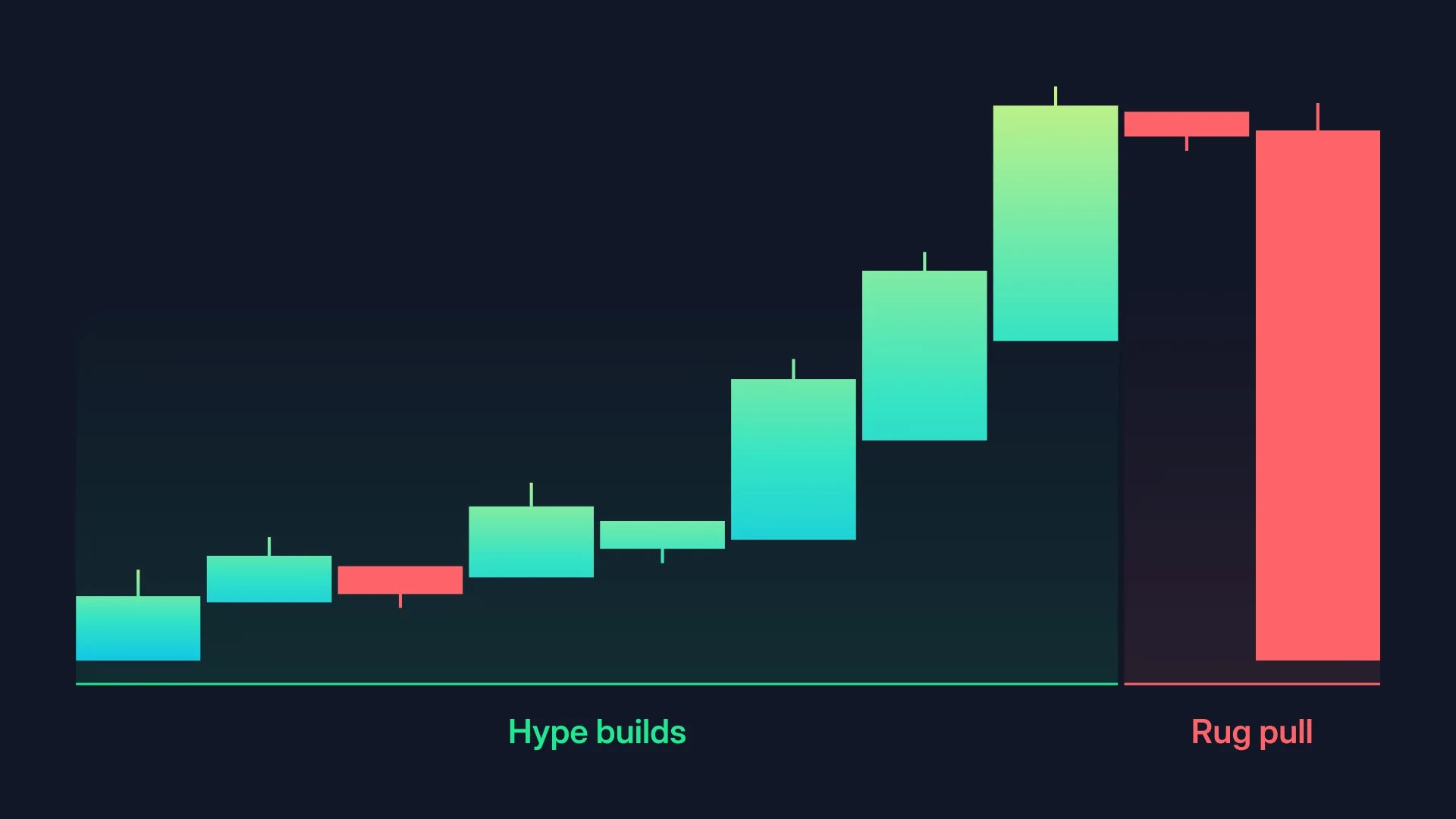 On jup.ag, token pages also show developer controls that put holders at risk, such as an active Mint Authority (more tokens can be created at any time) or Freeze Authority (your tokens can be frozen). See [Developer authority risks](/user-docs/trade/spot/risks-and-limitations#developer-authority-risks) and [Liquidity removal](/user-docs/trade/spot/risks-and-limitations#liquidity-removal-rug-pulls).
## Fake airdrops
You may occasionally notice unfamiliar tokens appearing in your wallet that you never asked for. These unsolicited tokens, often called dust or spam, are sent to your address to lure you into interacting with a malicious contract or site. Do not try to swap, sell, or interact with tokens you do not recognize. Simply ignore them.
In the Jupiter Mobile app, you can also hide them: tap the token, open the three-dot menu and select **Hide**. See [Spam tokens](/user-docs/global/mobile/portfolio#spam-tokens).
## Verifying token legitimacy
On Solana, anyone can create a token in minutes and name it anything, including names identical to legitimate projects. Before buying an unfamiliar token, always verify its contract address against the official project website or another reputable source, then run the checks below.
* Check the contract address: the token's mint address should match the one published on the official project's website. A token named "USDC" with a different address than the real USDC mint is a fake. On jup.ag, a token flagged as impersonating another shows a warning banner with a link to the legitimate asset.
* Look for the Verified badge: Jupiter marks verified tokens, and unverified ones carry a Not Verified entry in their JupShield warnings (see [Token information](/user-docs/trade/spot/token-page#token-information)). Verification confirms you have the right token, not that the token is safe. If a token is not verified and you don't recognize it, treat it with caution.
* Read the safety indicators: token pages show mint and freeze authority, holder concentration, developer holdings and more, and [JupShield](/user-docs/trade/spot/risks-and-limitations#jupiter-shield) warns about risks in the trade widget. They inform you; they do not guarantee anything. See [Safety indicators](/user-docs/trade/spot/token-page#safety-indicators), and [AlphaScan](/user-docs/trade/spot/alphascan) for developer data on brand-new launches.
* Audit status matters: established DeFi protocols publish security audit reports from firms like Zenith, OtterSec, or Certora. No audits is a meaningful red flag. Jupiter lists the audits of its own programs on [Security](/user-docs/more/security).
## Go deeper
On jup.ag, token pages also show developer controls that put holders at risk, such as an active Mint Authority (more tokens can be created at any time) or Freeze Authority (your tokens can be frozen). See [Developer authority risks](/user-docs/trade/spot/risks-and-limitations#developer-authority-risks) and [Liquidity removal](/user-docs/trade/spot/risks-and-limitations#liquidity-removal-rug-pulls).
## Fake airdrops
You may occasionally notice unfamiliar tokens appearing in your wallet that you never asked for. These unsolicited tokens, often called dust or spam, are sent to your address to lure you into interacting with a malicious contract or site. Do not try to swap, sell, or interact with tokens you do not recognize. Simply ignore them.
In the Jupiter Mobile app, you can also hide them: tap the token, open the three-dot menu and select **Hide**. See [Spam tokens](/user-docs/global/mobile/portfolio#spam-tokens).
## Verifying token legitimacy
On Solana, anyone can create a token in minutes and name it anything, including names identical to legitimate projects. Before buying an unfamiliar token, always verify its contract address against the official project website or another reputable source, then run the checks below.
* Check the contract address: the token's mint address should match the one published on the official project's website. A token named "USDC" with a different address than the real USDC mint is a fake. On jup.ag, a token flagged as impersonating another shows a warning banner with a link to the legitimate asset.
* Look for the Verified badge: Jupiter marks verified tokens, and unverified ones carry a Not Verified entry in their JupShield warnings (see [Token information](/user-docs/trade/spot/token-page#token-information)). Verification confirms you have the right token, not that the token is safe. If a token is not verified and you don't recognize it, treat it with caution.
* Read the safety indicators: token pages show mint and freeze authority, holder concentration, developer holdings and more, and [JupShield](/user-docs/trade/spot/risks-and-limitations#jupiter-shield) warns about risks in the trade widget. They inform you; they do not guarantee anything. See [Safety indicators](/user-docs/trade/spot/token-page#safety-indicators), and [AlphaScan](/user-docs/trade/spot/alphascan) for developer data on brand-new launches.
* Audit status matters: established DeFi protocols publish security audit reports from firms like Zenith, OtterSec, or Certora. No audits is a meaningful red flag. Jupiter lists the audits of its own programs on [Security](/user-docs/more/security).
## Go deeper