{level}
{minutes ? About {minutes} min read : null}
 Buying tokenized stocks is a first step: because tokens are divisible, you can hold an amount worth less than one share. But much of what sets tokenized assets apart is that they are transferable and composable: other
 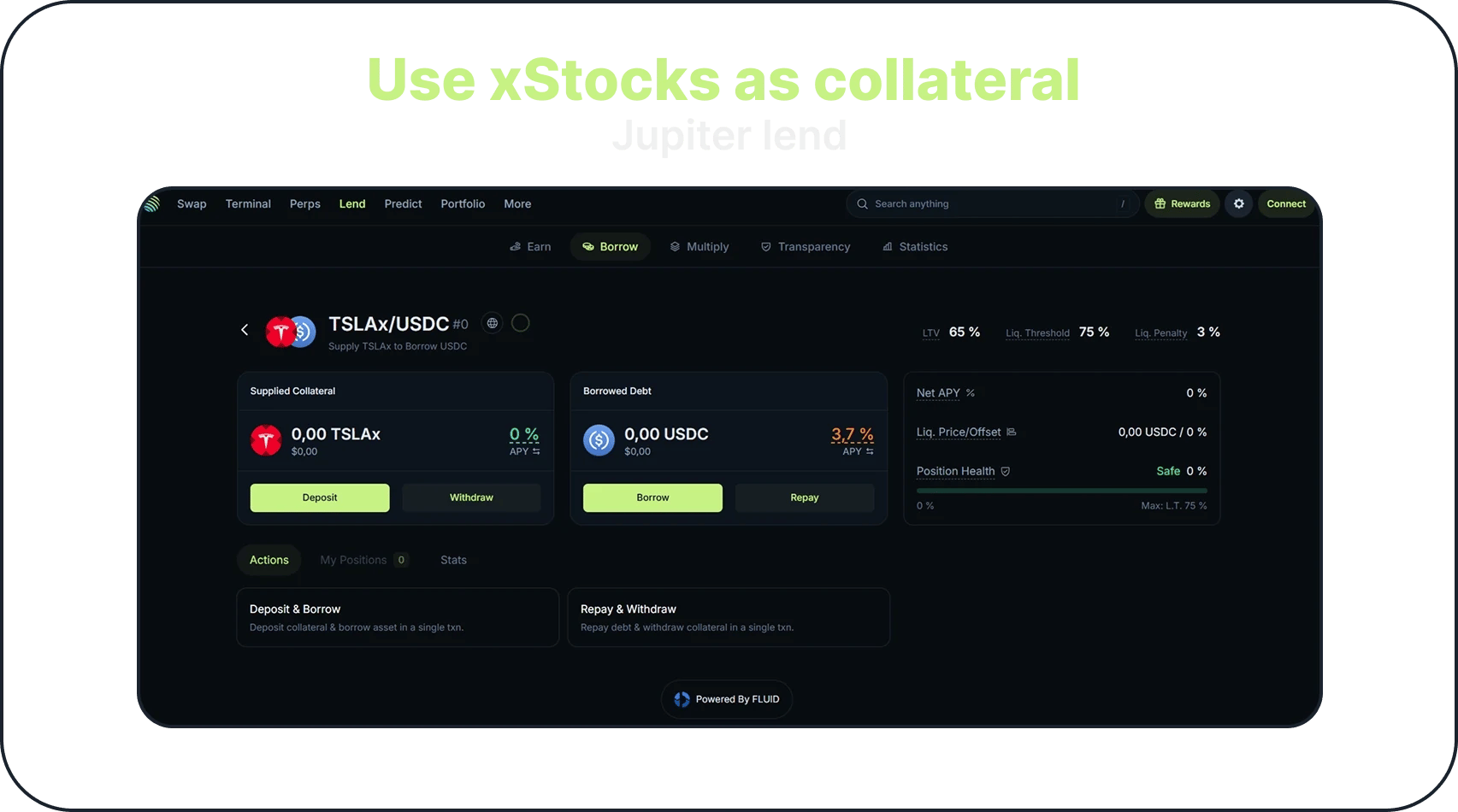 xStocks add risks of their own:
* Prices on weekends and holidays: the vaults' oracle updates 24 hours a day, 5 days a week. On weekends and US market holidays, it stays at the last traded price while the token keeps trading onchain, so the two can drift apart.
* Pauses: xStock markets pause for about 5 minutes at each trading session change, and 24 hours before a corporate action such as a dividend or a split. While a vault shows **Vault Suspended**, you cannot repay or add collateral, so keep a buffer before scheduled market events.
* Single stocks move more: TSLAx and NVDAx are rated High Risk, the index-based SPYx and QQQx Medium Risk.
* Availability: xStock vaults are not available on jup.ag in some regions, and opening a new xStock position asks you to acknowledge a disclosure of these risks.
## Example strategy
For illustration only, not a recommendation: say a user holds \$5,000 of tokenized equities across three xStocks:
* \$2,000 of SPYx (S\&P 500)
* \$2,000 of TSLAx (Tesla)
* \$1,000 of NVDAx (Nvidia)
They then supply these tokens as collateral on Jupiter Lend. Each token goes into its own vault, such as SPYx / USDC, so this makes three separate positions, each with its own LTV, Liquidation Threshold and Position Health. The user borrows \$1,000 USDC in total, 20% of each position's value: \$400 against SPYx, \$400 against TSLAx and \$200 against NVDAx.
That 20% leaves a wide margin before liquidation. With a 75% Liquidation Threshold, a position borrowed at 20% of its value reaches the threshold only if its token loses about 73% of its value; borrowed at 50%, a drop of about a third would be enough. Interest usually accrues on the debt too, so the ratio can creep up over time even when prices do not move. Read your vault's actual limits in the app.
The user can then use this liquidity in different ways, depending on their strategy:
* Buy more xStocks with it, which raises both their exposure and their liquidation risk: gains grow if prices rise, and losses grow if they fall. Multiply runs this loop in one step.
* Put it into a strategy that aims to earn more than the borrowing cost, keeping in mind that the borrow rate is variable and no strategy's return is guaranteed.
* Use it for other DeFi opportunities.
## xStocks on Jupiter today
You can buy xStocks on [jup.ag](https://jup.ag) from the Stocks screener or from a stock page, where they appear next to other issuers' tokens. They are not available in every jurisdiction.
Several xStocks are available as collateral on Jupiter Lend, and the list is updated as new vaults are added.
If you hold xStocks or use them as collateral on Jupiter Lend, [Jupiter Portfolio](https://jup.ag/portfolio) shows your holdings and your lending positions, with each position's health and its supplied and borrowed amounts.
## Go deeper
xStocks add risks of their own:
* Prices on weekends and holidays: the vaults' oracle updates 24 hours a day, 5 days a week. On weekends and US market holidays, it stays at the last traded price while the token keeps trading onchain, so the two can drift apart.
* Pauses: xStock markets pause for about 5 minutes at each trading session change, and 24 hours before a corporate action such as a dividend or a split. While a vault shows **Vault Suspended**, you cannot repay or add collateral, so keep a buffer before scheduled market events.
* Single stocks move more: TSLAx and NVDAx are rated High Risk, the index-based SPYx and QQQx Medium Risk.
* Availability: xStock vaults are not available on jup.ag in some regions, and opening a new xStock position asks you to acknowledge a disclosure of these risks.
## Example strategy
For illustration only, not a recommendation: say a user holds \$5,000 of tokenized equities across three xStocks:
* \$2,000 of SPYx (S\&P 500)
* \$2,000 of TSLAx (Tesla)
* \$1,000 of NVDAx (Nvidia)
They then supply these tokens as collateral on Jupiter Lend. Each token goes into its own vault, such as SPYx / USDC, so this makes three separate positions, each with its own LTV, Liquidation Threshold and Position Health. The user borrows \$1,000 USDC in total, 20% of each position's value: \$400 against SPYx, \$400 against TSLAx and \$200 against NVDAx.
That 20% leaves a wide margin before liquidation. With a 75% Liquidation Threshold, a position borrowed at 20% of its value reaches the threshold only if its token loses about 73% of its value; borrowed at 50%, a drop of about a third would be enough. Interest usually accrues on the debt too, so the ratio can creep up over time even when prices do not move. Read your vault's actual limits in the app.
The user can then use this liquidity in different ways, depending on their strategy:
* Buy more xStocks with it, which raises both their exposure and their liquidation risk: gains grow if prices rise, and losses grow if they fall. Multiply runs this loop in one step.
* Put it into a strategy that aims to earn more than the borrowing cost, keeping in mind that the borrow rate is variable and no strategy's return is guaranteed.
* Use it for other DeFi opportunities.
## xStocks on Jupiter today
You can buy xStocks on [jup.ag](https://jup.ag) from the Stocks screener or from a stock page, where they appear next to other issuers' tokens. They are not available in every jurisdiction.
Several xStocks are available as collateral on Jupiter Lend, and the list is updated as new vaults are added.
If you hold xStocks or use them as collateral on Jupiter Lend, [Jupiter Portfolio](https://jup.ag/portfolio) shows your holdings and your lending positions, with each position's health and its supplied and borrowed amounts.
## Go deeper