> ## Documentation Index
> Fetch the complete documentation index at: https://docs.jup.ag/llms.txt
> Use this file to discover all available pages before exploring further.
# Clans
Clans let you compete with friends and track your group's performance.
## Getting Started with Clans
The bot works in both private chats and group chats. Groups are perfect for discovering and discussing markets together.
### Create a Clan
**From `/start` or `/menu` command:**
* Tap the **👥 Add to Group** button
* Select the group you want to add it to
* Make the bot an **admin** of the group
## Event Resolved Notifications
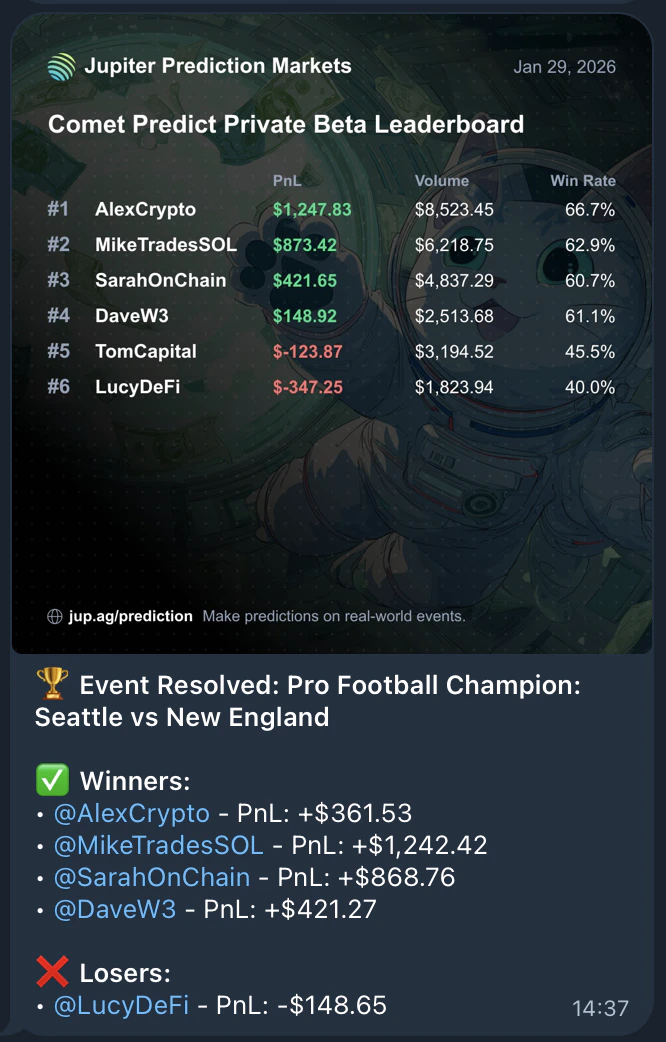
When an entire event is resolved, you'll see a leaderboard of all participants:
* **Winners**: Listed with their positive PnL
* **Losers**: Listed with their negative PnL
* Your clan's current standings
 ## Group Prediction Notifications
In group chats, the bot announces when clan members place new predictions:
## Group Prediction Notifications
In group chats, the bot announces when clan members place new predictions:
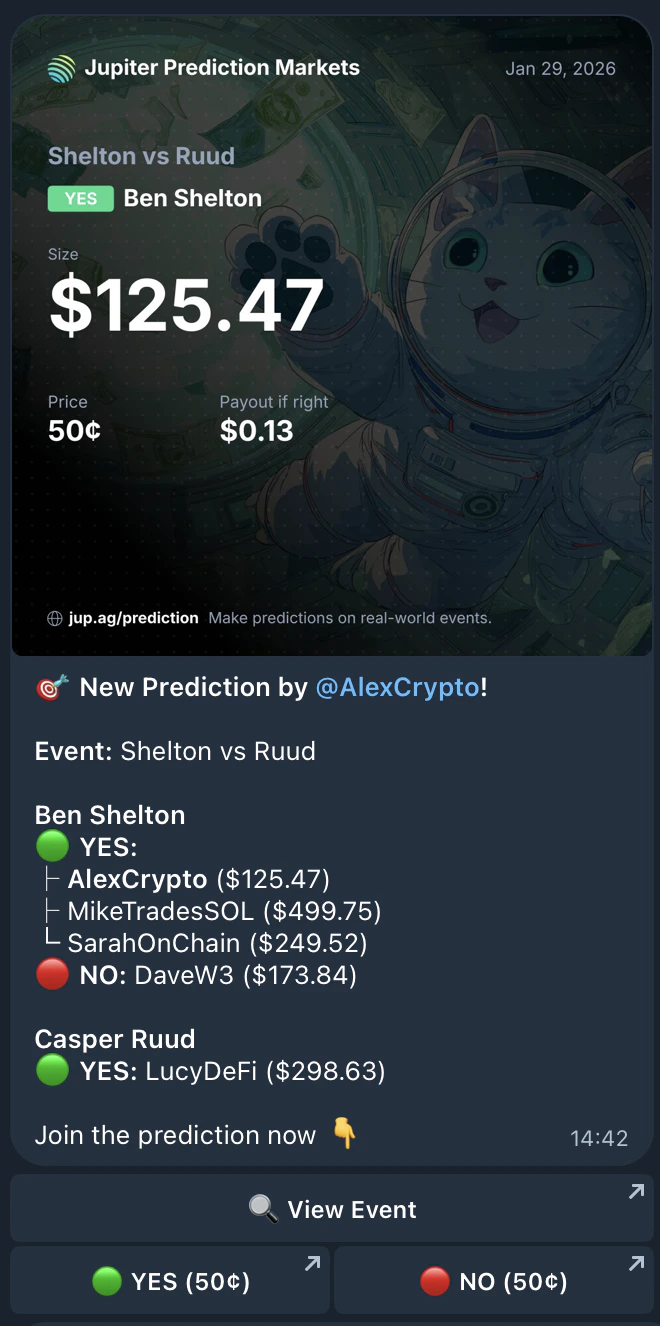 This lets you see what others in your clan are predicting and join the action with quick YES/NO buttons.
### Clan Leaderboard
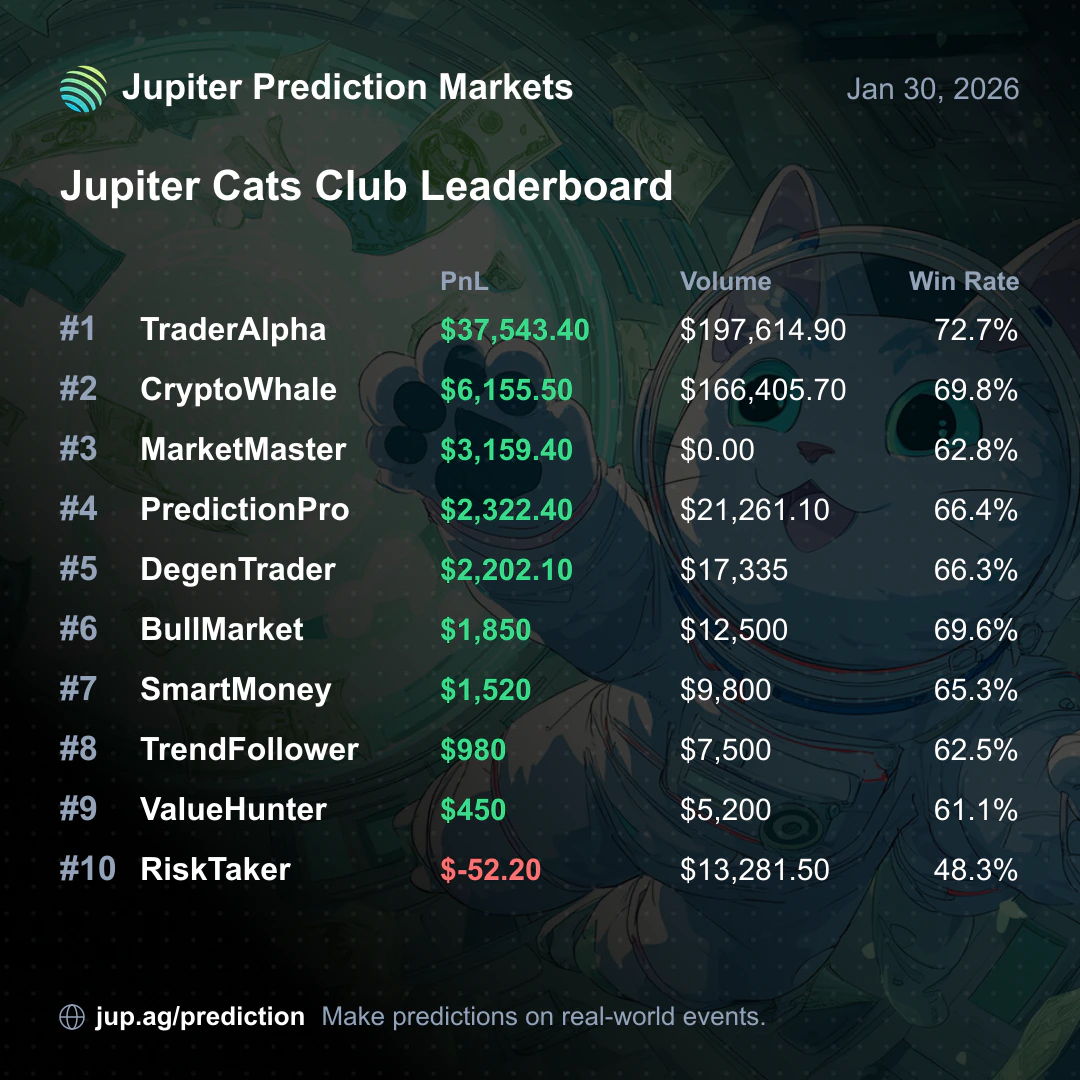
In groups, the `/leaderboard` command generates a shareable card showing the top 10 PnL users in your clan:
This lets you see what others in your clan are predicting and join the action with quick YES/NO buttons.
### Clan Leaderboard
In groups, the `/leaderboard` command generates a shareable card showing the top 10 PnL users in your clan:
 ## View Clan Members' Positions
You can check any clan member's positions by using `/positions` followed by their username or wallet address:
## View Clan Members' Positions
You can check any clan member's positions by using `/positions` followed by their username or wallet address:
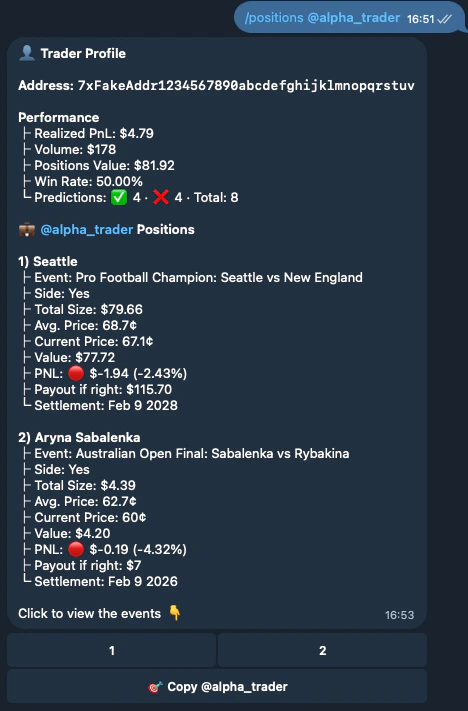 This shows their trader profile with performance stats and active positions.