

How splitting reduces price impact
A large swap moves the price of the pools it trades against: this is price impact, and the larger the swap, the more it costs. After a swap, other traders and market makers trade against the shifted pool and bring its price back toward the market. Adaptive Swap leaves time for that between its smaller swaps, so each one starts closer to the market price than the rest of one large swap would. How fast prices come back depends on the token and on market conditions, and Jupiter does not trade to restore them. That is why the gain is an estimate and why Jupiter sets the plan from live market data: you do not choose the number of swaps or the interval.When the Adaptive Swap row appears
You do not need to look for Adaptive Swap. When Jupiter expects a split to beat one market swap for the amount you enter, an Adaptive Swap row with a Beta tag and a switch appears under the rate. It shows the estimated gain, such as Get up to $220.00 more: an optimistic estimate that assumes prices fully recover between swaps. Once the row has appeared for a token pair, it stays while you change the amount. It goes away when you change the pair, or when you switch to Manual mode or to setting the amount you receive.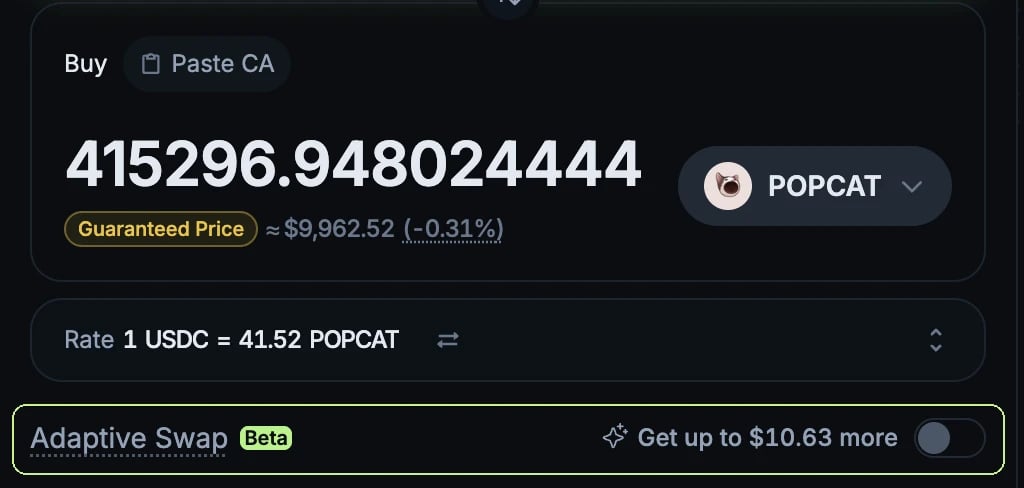
The Adaptive Swap row under the rate, with the switch off, for a swap of 10,000 USDC to POPCAT. Amounts date from when the screenshot was taken.
- the swap is small, so there is little price impact to save. There is no fixed minimum size: Jupiter offers a split only when it expects it to beat one market swap by about 0.3% or more (the app prevails);
- the pair is not supported: Adaptive Swap works with selected tokens against USDC or SOL, and Jupiter adds tokens over time;
- the token charges a transfer fee;
- both tokens are stablecoins;
- the pair includes a tokenized stock and the US market is closed: stocks qualify only from 9:30 to 16:00 New York time on weekdays;
- you are in Manual mode: Adaptive Swap is available in Ultra mode only;
- you set the amount you receive instead of the amount you sell.
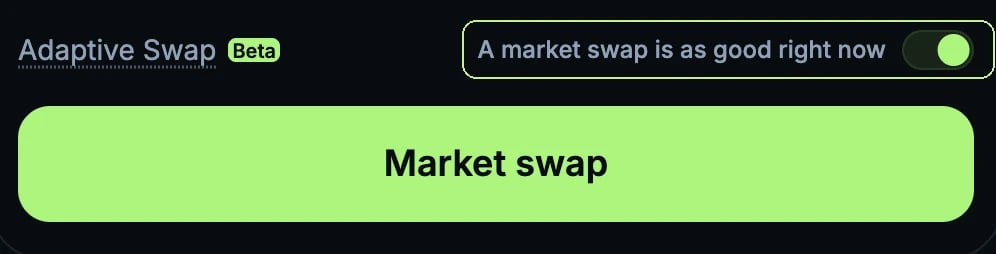
The switch is on, but for 30 USDC a split would not beat one market swap: the row says why and the button reads Market swap.
The plan
With the switch on, the rate details show the plan Jupiter proposes:- the number of swaps and the time between them, such as 4 swaps, 2s apart;
- the amount of each swap (Per swap) and the Price impact per swap (best case), in green when it beats one market swap;
- the platform fee, and a note that the final amount will differ from a market swap. The network fee and route rows do not show for a plan;
- under the button, a line such as Takes ~18s. Any USDC not swapped within ~2 min returns to your wallet.
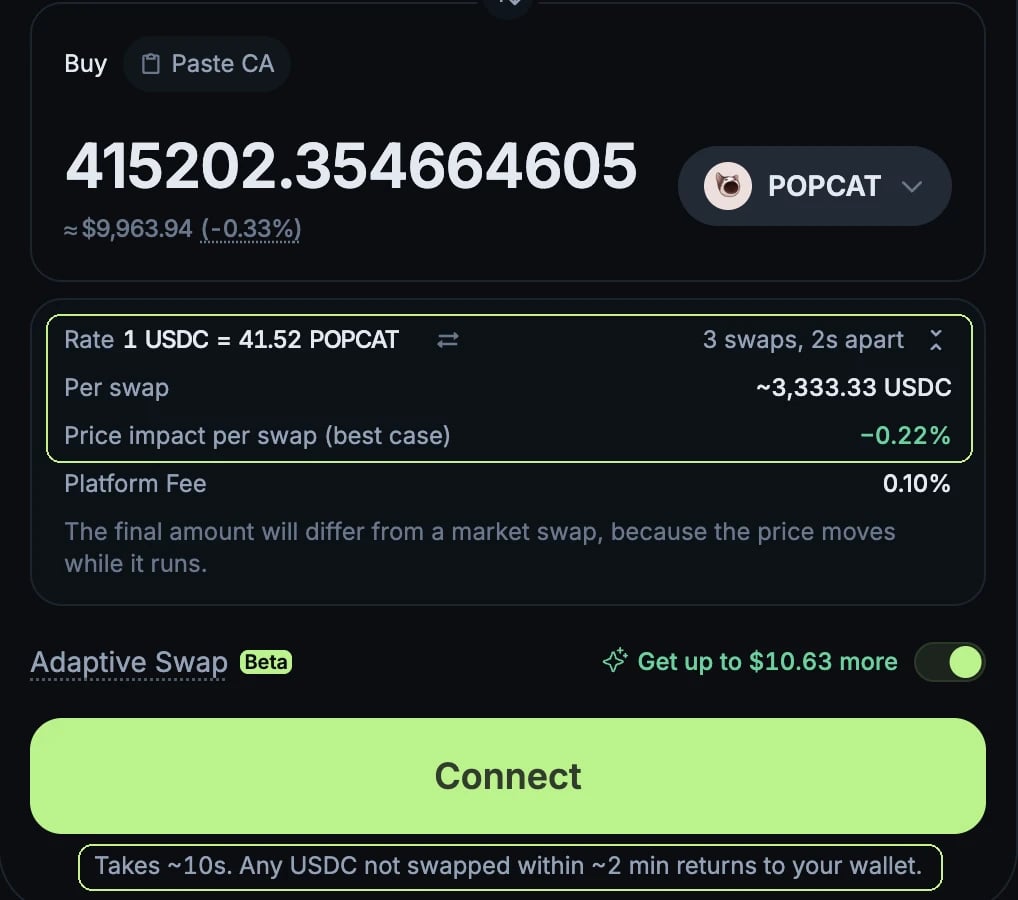
The plan for 10,000 USDC to POPCAT: 3 swaps 2 seconds apart, the amount and price impact of each swap, and how long the order takes. Taken signed out, so the button reads Connect instead of Place Adaptive Swap. Amounts date from when the screenshot was taken.
Place an Adaptive Swap
Enter your swap
Turn on Adaptive Swap
Access your vault
Approve the deposit
Follow the progress
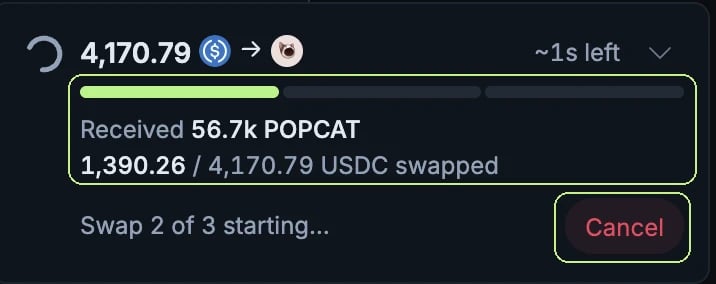
An order of 4,170.79 USDC to POPCAT, after the first of 3 swaps. Amounts date from when the screenshot was taken.
Where your tokens are held
- While the order runs, the tokens you sell are held in a token account created for that order alone, in your order vault: the same vault Limit orders use. Jupiter uses them only for the swaps of that order, or returns them to your wallet.
- Each smaller swap sends the tokens you buy to your wallet: there is nothing to claim.
- Each deposit, swap and withdrawal is an onchain transaction. The order in History links to the deposit and to each swap, so you can check them in an explorer.
- You can cancel while swaps are still to run, and get back what was not swapped. Once the last swap has started or the deadline has passed, there is nothing left to cancel, and anything not swapped returns to your wallet on its own.
Price protection and the deadline
- Each smaller swap starts only when its price is close to what one market swap of the whole amount would get. While no such price comes, the progress message says it is Waiting for a price close to one market swap, and how much returns to your wallet if none comes.
- Each order has a deadline: at least 2 minutes after your deposit lands, and longer for a plan with more swaps (the app prevails). The swap form shows it before you place the order. While it runs, open Details in its progress message to see Ends by. At the deadline, anything not swapped returns to your wallet on its own: it is not sold at market. The progress message then reads Time ran out.
- If the swaps run late, the progress message reads Taking longer and says how much returns to your wallet if they do not finish, and when, such as Up to 2,780.53 USDC returns to your wallet in ~55s.
- The swaps that went through are kept.
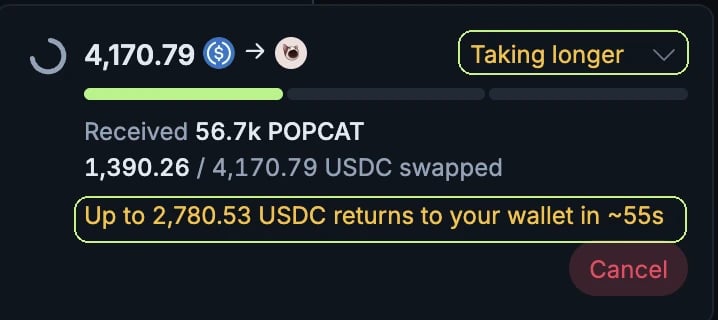
An order running late, with 2 of its 3 swaps still to go. Amounts date from when the screenshot was taken.
- When time runs out and what was not swapped is back in your wallet, the progress message offers a button such as Swap 750.00 USDC at market, and the order in History offers Swap at market. Either one opens the swap form with the pair and the returned amount filled in and Adaptive Swap off; it does not swap by itself. A cancelled order does not offer it.
Cancel an Adaptive Swap
Cancel
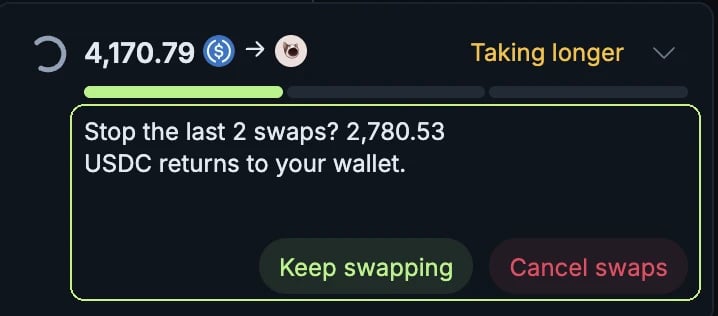
The cancel prompt with 2 of 3 swaps still to go. Amounts date from when the screenshot was taken.
Wait for the running swap
Approve the withdrawal
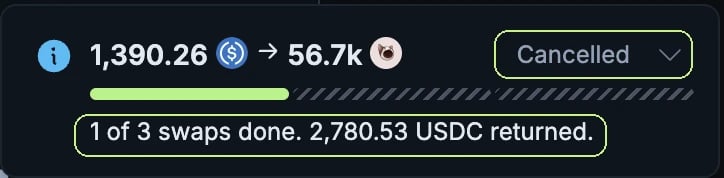
The same order after the cancel: 1 swap went through and the rest returned. Amounts date from when the screenshot was taken.
Track your orders
Adaptive Swaps have their own tab in History, apart from your swap history, because the vault makes the swaps, not your wallet. Click Show History under the swap form (on the jup.ag home page, expand Your History), then select the Adaptive Swap tab next to Swap History. The tabs show when a wallet is connected. Under your swap history, the line Adaptive Swaps are in the Adaptive Swap tab. links to it, and placing an order opens the tab for you. The first time, the tab asks you to Access vault before it lists your orders. Each row shows the amount sold and received, a status and how long ago you placed it. The line under it reads, for example:- 3/3 · +$9.27 (+0.22%) vs market for a completed order: the swaps that went through, and the result compared with one market swap of the same amount, quoted when you placed the order. When no dollar price is available, only the percent shows;
- 1/5 · 640.00 USDC returned for a cancelled or expired order;
- 5/12 · 2,916.67 USDC left for an open order.
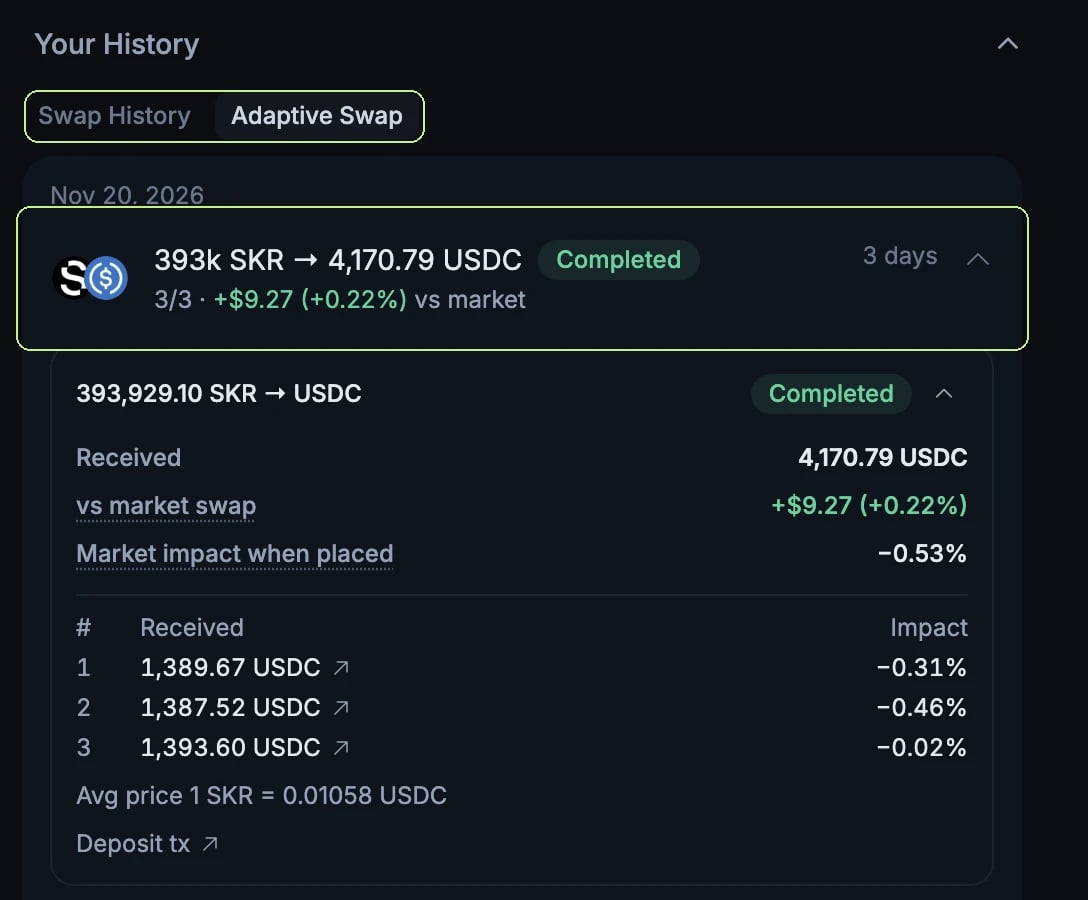
The Adaptive Swap tab of Your History on the jup.ag home page, with a completed order expanded. Amounts date from when the screenshot was taken.