

Scanning Tokens
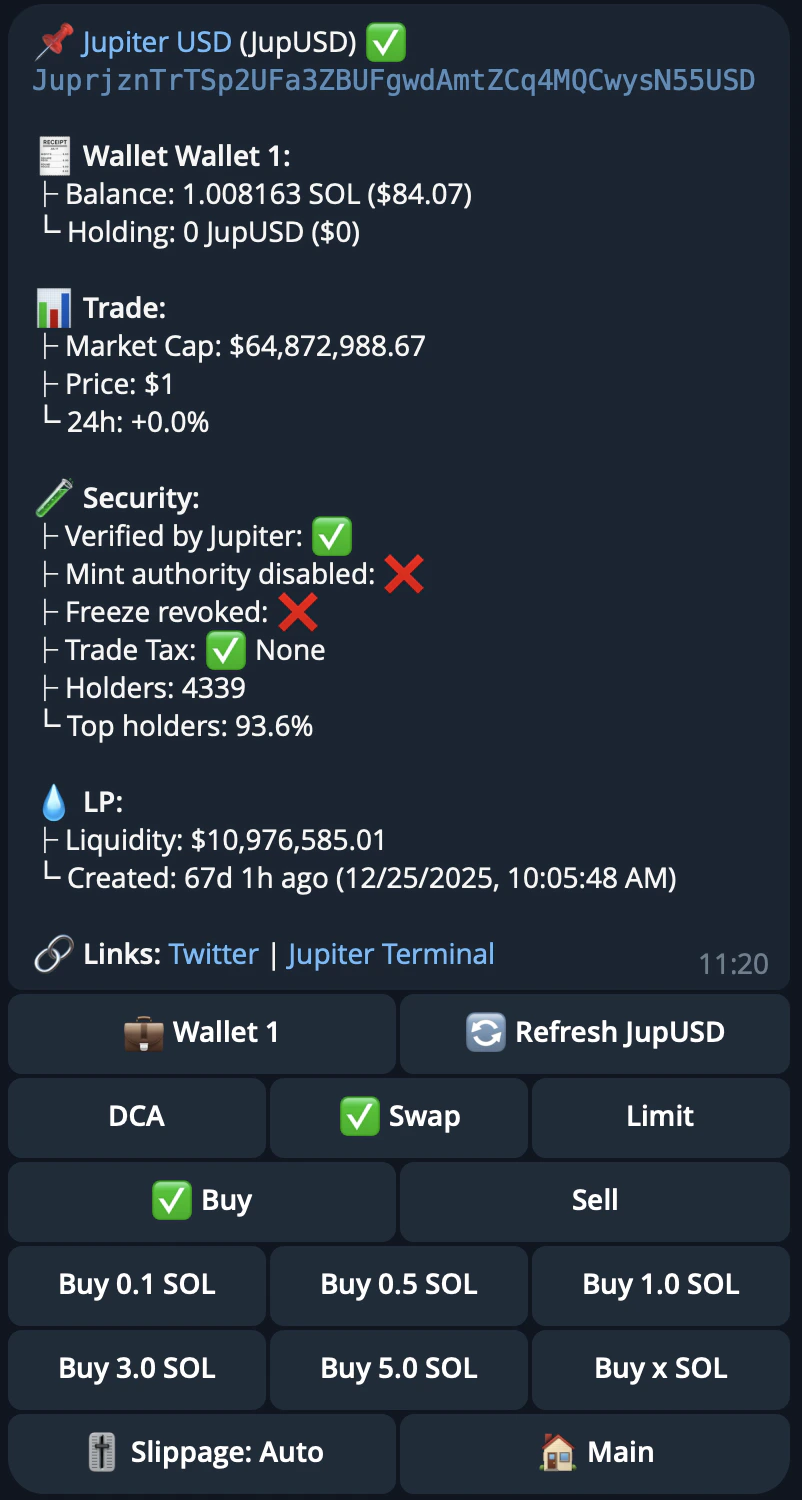
Send a token mint address or symbol to scan any token. The bot will display:- Token info and trading options (Swap, Limit Order, DCA)
- Your holdings if you own the token
- Market data: market cap, current price, and 24h price change
- Security indicators:
- Jupiter verification (verified or not verified)
- Suspicious flag (flagged or clean)
- Mint authority disabled (safe or still enabled)
- Freeze authority revoked (safe or still active)
- Trade tax (none or percentage)
- Holder info: total holders, top holders percentage, dev balance percentage, dev migrations
- LP info: liquidity (with low-liquidity warning), launchpad name, first liquidity pool creation time
- Social links
- Liquidity information:
- Token liquidity, with a warning for low liquidity tokens
- The first liquidity pool’s creation time
Command List
To access commands, tap the menu icon next to the message input or type/.
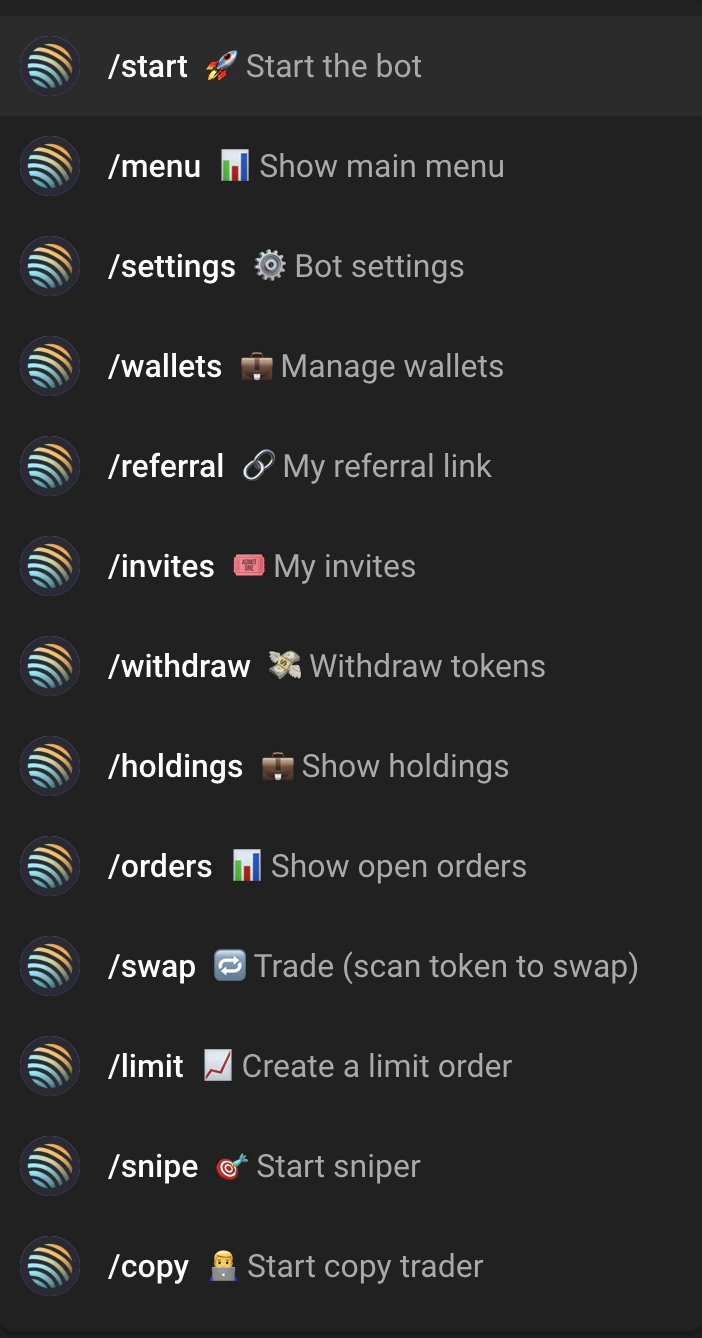
/start
Creates your wallet on first use, or shows the main menu if you already have one.
/start <invite_code>— join via an invite code from an existing user.
/menu
Shows the main menu with your wallet address, balances (top 5 tokens by USD value), and navigation buttons.
/swap
Scan a token to open its trading options. Send a token mint address or symbol, then choose how to trade:
- Swap — buy or sell instantly. Pick buy or sell and enter a preset or custom amount.
- Limit Order — set a target price. Buy orders execute when the price drops to your target; sell orders execute when it rises. Expiry is configurable: presets 10m, 1h, 1d, 3d, 7d, 30d, or custom (default 7 days).
- DCA (Dollar Cost Averaging) — automate recurring purchases at set intervals.
/holdings
View your portfolio with PnL tracking. Shows token balances, USD values, unrealized/realized/total PnL per token, and a wallet-level PnL summary. See Portfolio & Holdings.
/orders
View and manage active DCA and limit orders. Cancel orders directly from this screen. See Active Orders.
/snipe
Open the Sniper Mode dashboard. Configure automatic buys for new token launches. See Sniper Mode.
/copy
Open the Copy Trader dashboard. Mirror trades from other wallets automatically. See Copy Trading.
/wallets
Manage your wallets — create, rename, archive, delete, import, or export. See Wallet Management.
/referral
View your referral dashboard with earnings, stats, and claim options. See Referrals & Invites.
/invites
View and manage your invite codes. Share your invite link with others.
/settings
Open the bot settings menu.
/help
View the documentation.
/withdraw
Withdraw tokens to an external wallet.
- Select a wallet if you have multiple wallets.
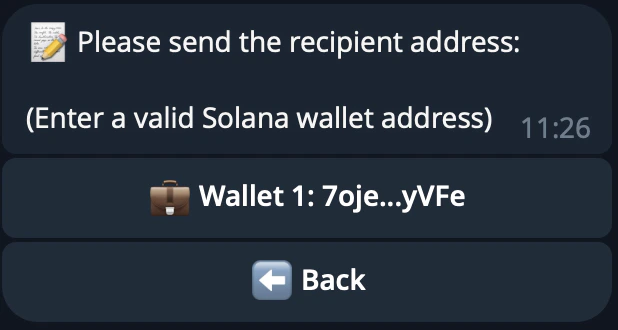
- Enter the recipient Solana address.
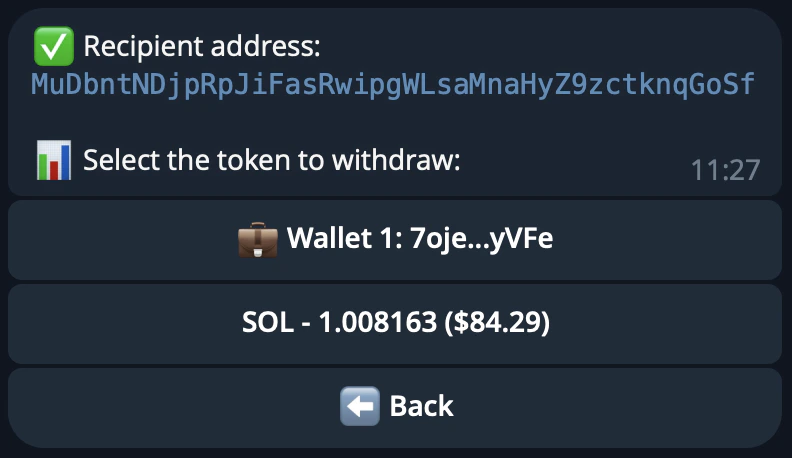
- Select a token and choose an amount (preset percentages or custom).
- Confirm the withdrawal.