Copy Trader mirrors trades from another wallet to yours. Configure target wallet, amounts, slippage, and filters; only active configs execute trades.

Dashboard

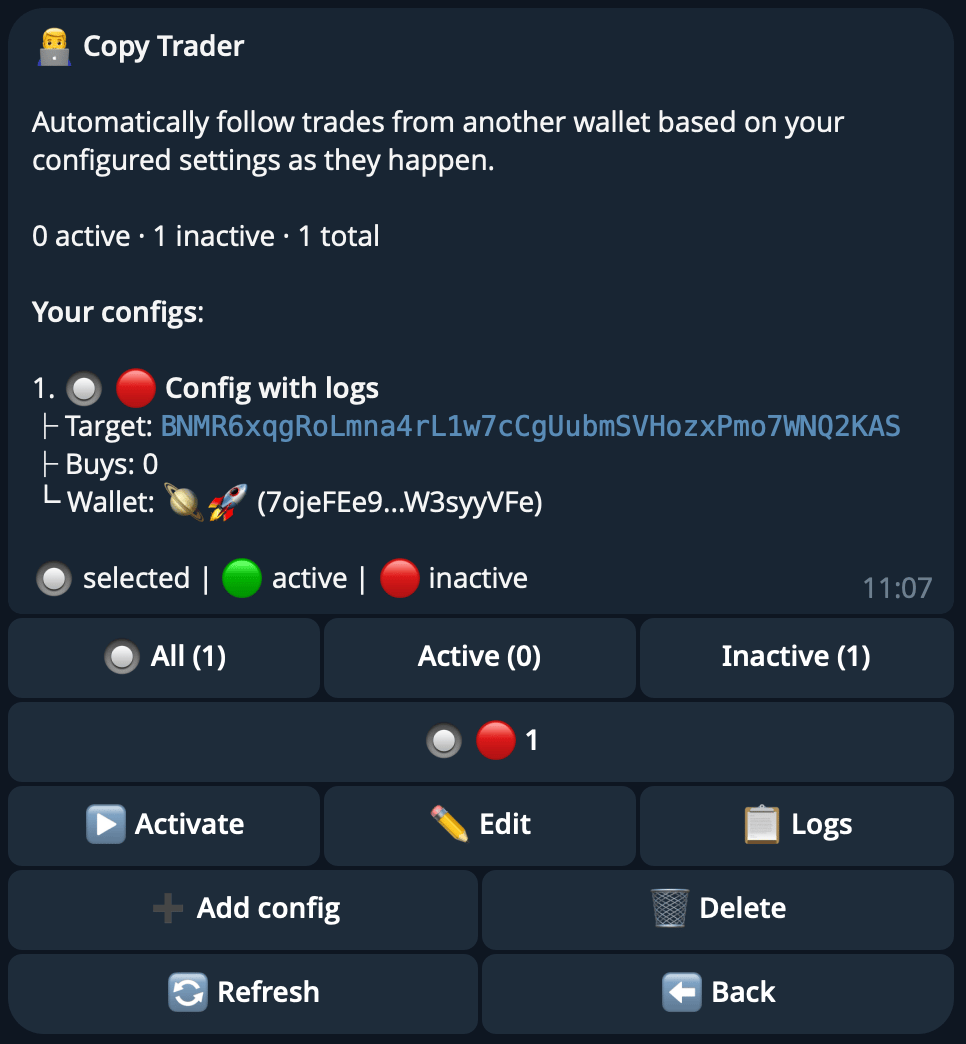
Copy Trader dashboard Each config displays a status indicator:
IndicatorMeaning
Green circleActive — config is running and copying trades.
Red circleInactive — config is paused.
Use the filter tabs at the top of the dashboard to view All, Active, or Inactive configs (each tab shows a count). Configs are paginated and identified by memorable auto-generated names. Tap Add config to create a new configuration.

Config Screen
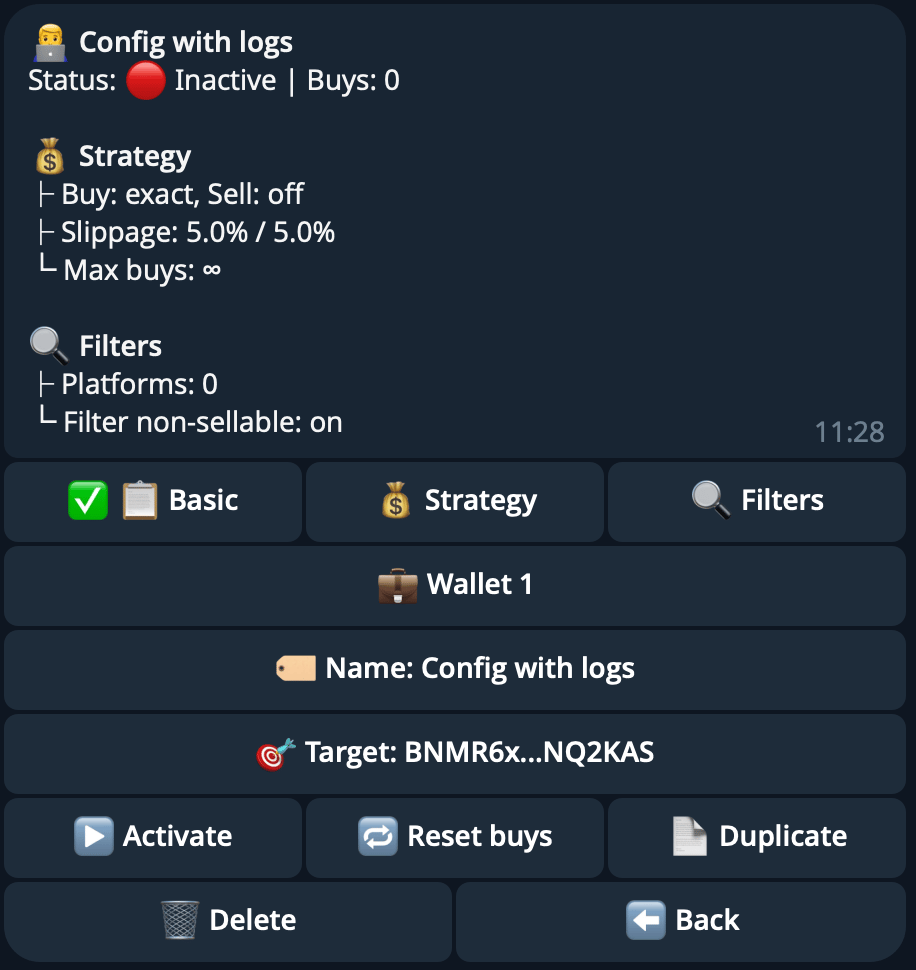
Copy trade configuration Tap any field to edit. The config screen is organized into three tabs: Basic, Strategy, and Filters.

Basic Tab

FieldDescription
NameConfig name (1-20 characters, must be unique across your configs).
Target WalletSolana address of the wallet to copy. You cannot copy your own wallet.
WalletYour wallet used to execute copied trades. Opens a wallet selector if you have multiple wallets.
Start TimeOptional daily trading window start in UTC. Accepts formats like 14:30, 9:00:00, or 19.
End TimeOptional daily trading window end in UTC. Same format as Start Time.

Strategy Tab

FieldDescription
Buy StrategyExact — copy the exact trade size. Percentage — copy a percentage of the target’s size (can exceed 100%). Fixed Amount — use a fixed SOL amount for every buy.
Sell StrategyOff — no automatic selling. Follow Percentage — sell when the target sells any amount. Fixed Percentage — sell a fixed percentage of your holdings.
Buy SlippageSlippage tolerance for buys, 0.1-100%. Set to Auto to let the bot calculate the optimal value.
Sell SlippageSlippage tolerance for sells, 0.1-100%. Set to Auto to let the bot calculate the optimal value.
Max BuysTotal maximum buys the config will execute (max: 1,000). The config auto-pauses when this limit is reached.
Max Buys Per TokenMaximum buys per individual token (max: 500).

Filters Tab

FieldDescription
PlatformsMulti-select filter for trade sources: METEORA_DBC (Meteora DBC / Jup Studio / Moonshot), METEORA_DLMM, METEORA_DAMM_V2, PUMP_FUN (Pump Fun), PUMP_AMM (Pump Fun AMM), RAYDIUM_LAUNCHPAD.
Max Buy AmountMaximum SOL spent per copied trade.
Min Trigger BuyMinimum target buy size (in SOL) required to trigger a copy.
Max Trigger BuyMaximum target buy size (in SOL) that will trigger a copy.
Min Token AgeOnly copy trades for tokens older than this value. Format: 1d 2h 30m.
Max Token AgeOnly copy trades for tokens younger than this value. Same format as Min Token Age.
Min Market CapOnly copy trades for tokens above this market cap. Supports shorthand: 1K, 1M, 1B.
Max Market CapOnly copy trades for tokens below this market cap. Same shorthand supported.
Blacklisted MintsA list of token mint addresses that will never be copied.
Filter Non-SellableToggle to skip tokens that cannot be sold. Recommended to keep on.

Trade Logs

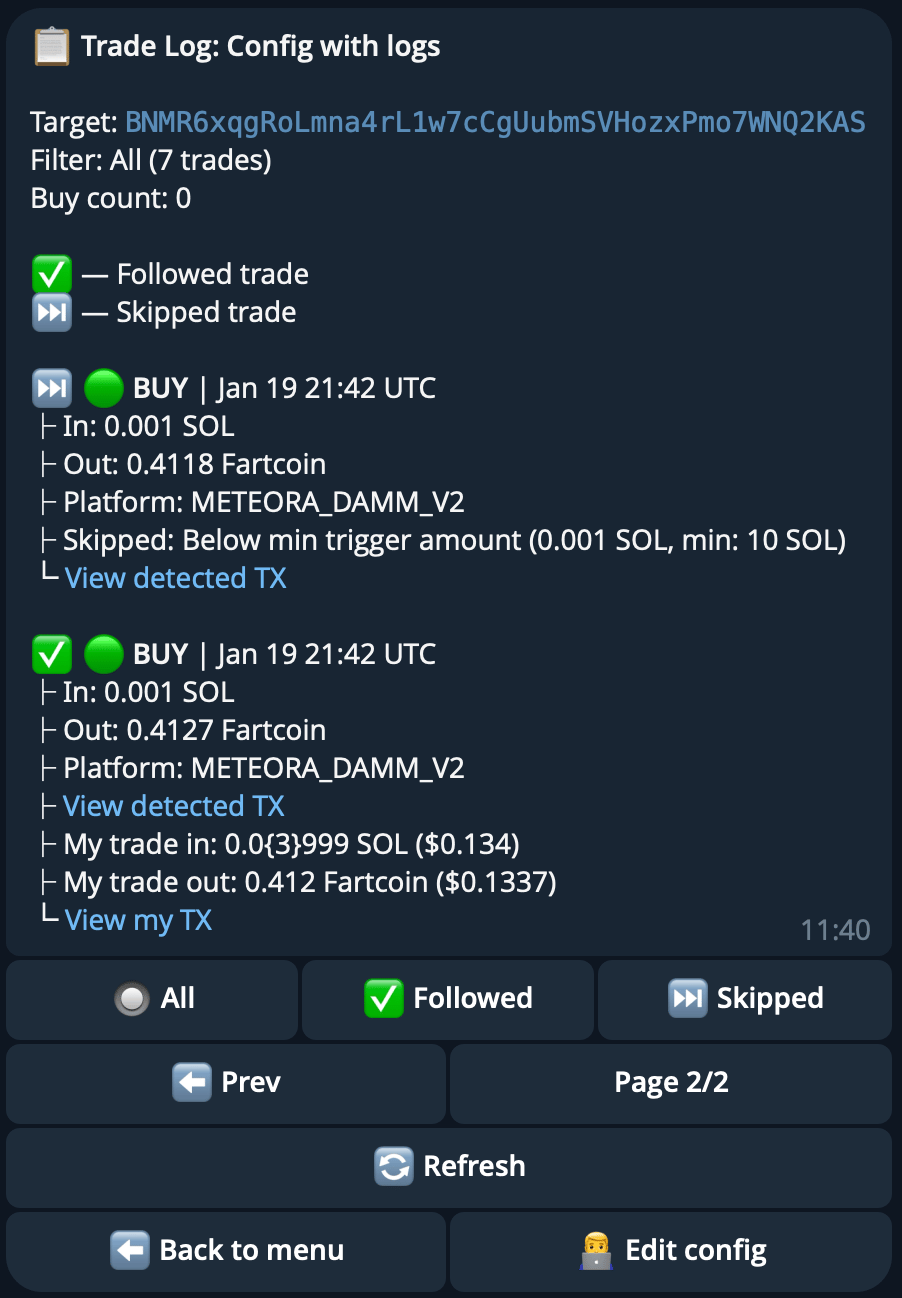
Copy trade logs Each config has a dedicated trade log. Filter the log by All, Followed (trades that were executed), or Skipped (trades that were filtered out). The list is paginated.

Actions

ActionDescription
Activate / DeactivateToggle the config on or off. Only active configs execute trades.
Reset BuysReset the buy counter so the config can resume trading after hitting its max buys limit.
DuplicateCreate a copy of the config with the same settings.
DeletePermanently remove the config.
Keep Filter non-sellable tokens on and verify the target wallet address before activating.