

Custodial vs. self-custodial
There is a fundamental difference between how assets are managed on a centralized exchange (CEX) and on a decentralized exchange (DEX). When using a CEX (like Binance or Coinbase), you are operating in a custodial environment. This means the exchange holds the private keys to the funds on your behalf. When you deposit money into a CEX, you are sending assets to a wallet controlled by the institution, which then credits your account in its private, internal database. Trading on a CEX happens “off-chain”: the blockchain only records your deposits and withdrawals. Fundamentally, this is very similar to entrusting your money to a TradFi bank. This model relies on institutional trust: if the exchange fails or is hacked, your access to those assets depends entirely on the exchange’s solvency and security. In contrast, interacting with a like Jupiter is a self-custodial (or non-custodial) experience. You do not deposit your funds into the exchange; instead, you connect your own wallet and interact with automated smart contracts directly. Each swap is an onchain transaction that you sign with your private key; orders such as limit orders are filled later by a keeper, from a vault you funded. At no point does a third party take possession of your keys. This removes the risk of an exchange failing with your funds, as you keep control of your assets throughout the entire trading process (the smart contracts you use still carry their own risks). However, this also shifts the entire burden of security onto you: there is no customer support team that can recover funds if you authorize a malicious transaction or lose your keys.The key pair: public vs. private
The security of a blockchain wallet is built on asymmetric cryptography, which uses a pair of mathematically linked keys. Your public key functions like a bank account number: it is a string of characters that you can share openly with others so they can send you funds. On Solana, your public key is your wallet address. It is derived from your private key, but the process is a one-way street: it is practically impossible for someone to work backward from your public key to find your private key. Your private key is the most critical element of the wallet, functioning as your digital signature. In the same way that a handwritten signature authorizes a check, your private key authorizes the movement of assets from your public address. In the world of onchain finance, the phrase “Not your keys, not your coins” is a fundamental rule: whoever holds the private key controls the associated assets, although a token’s issuer that kept a freeze authority can still freeze that token. If a private key is lost along with every backup of it, the assets are inaccessible forever: there is no password reset on a decentralized network. The password of a wallet app such as Jupiter Wallet only unlocks the app on your device; resetting it does not bring back a lost key.The recovery phrase (seed phrase)
Most modern wallets use a seed phrase (typically 12 or 24 random words) as a human-readable backup for the private key. This phrase is generated when you first create a wallet and effectively acts as a master key. Jupiter Wallet, for example, generates a 24-word phrase.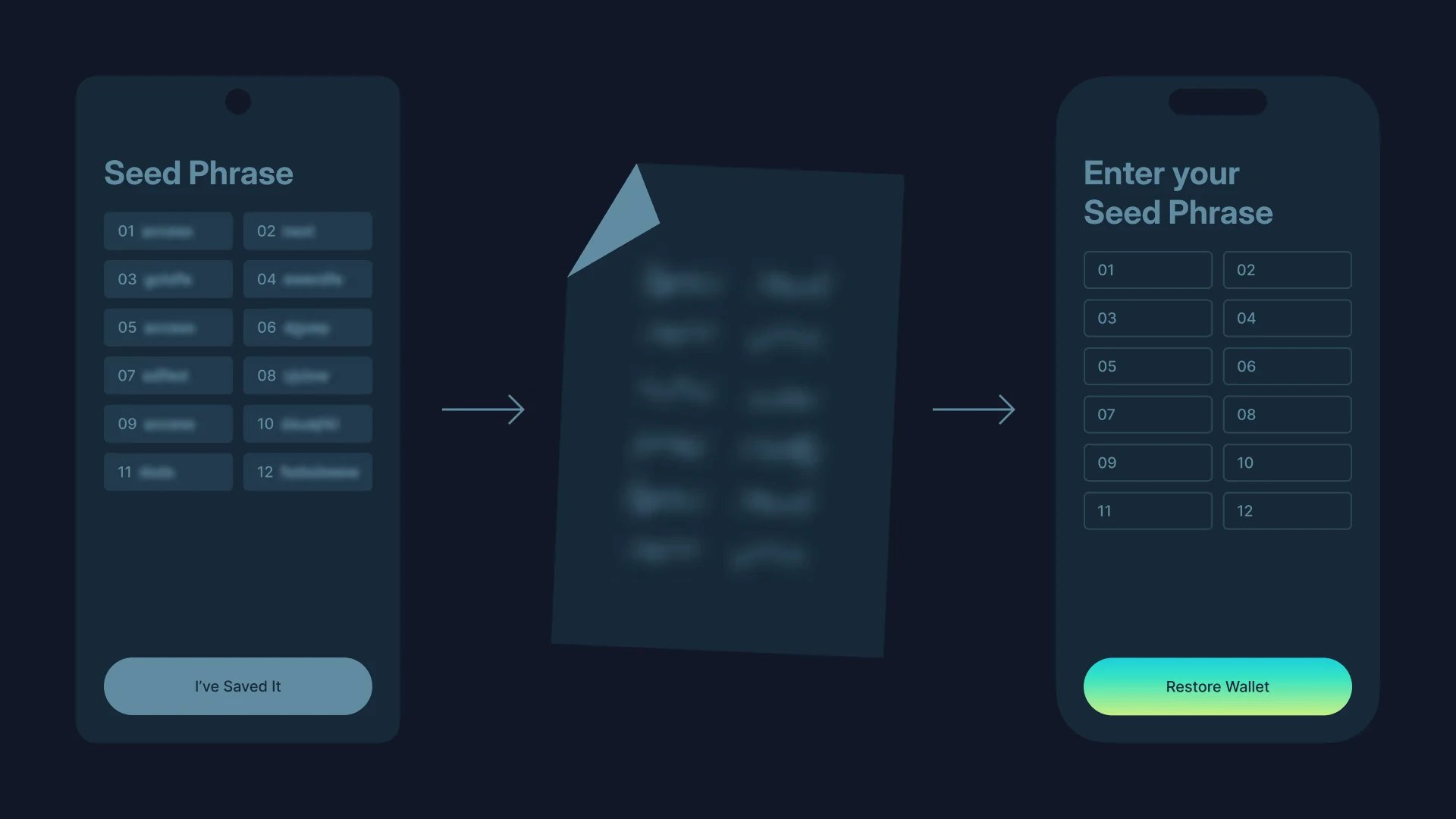
Wallet types: hot and cold
Self-custodial storage is defined by its relationship to the internet. Many users adopt a tiered strategy: hot wallets for daily activity and cold wallets for long-term wealth preservation. Hot wallets: connected to the internet.- Pros: fast, convenient, ideal for daily trading and interacting with dApps
- Cons: higher risk of digital theft or hacking
- Pros: maximum security, keys cannot be copied remotely
- Cons: slower to access, requires physical hardware
Hot wallets: accessibility and utility
Hot wallets are digital interfaces that are constantly or frequently connected to the internet. They can take the form of mobile apps, browser extensions or desktop software, such as the Jupiter Mobile app and the Jupiter Wallet browser extension. Their primary advantage is utility: because they are connected to the web, they allow near-instant interaction with exchanges, decentralized apps and payment systems like Jupiter QR Pay, which in the Jupiter Mobile app can pay Asia-Pacific merchant QR codes in USDC straight from your wallet, after a short identity check. However, constant connectivity introduces a specific risk profile. Because the private keys are stored on a device that is online, they are exposed to malware, phishing attacks and remote hacking. For this reason, hot wallets are generally treated like the cash in your physical wallet: you can spend it anywhere, immediately. This is ideal for holding smaller amounts for daily trading and immediate use, but less suitable for life savings or significant long-term holdings.Cold wallets: security and sovereignty
Cold wallets, or cold storage, refer to any method of storing private keys away from the internet. The most common form is a hardware wallet, a dedicated physical device that stores the keys in a secure offline environment. When you want to make a transaction, you connect the device to a computer or phone, sign the transaction on the device, and only the signature goes back online. The primary advantage of cold storage is security. Since the private key itself never touches an online environment, malware or a remote attacker cannot copy it. This makes it the usual choice for long-term holdings. It does not protect you from approving a malicious transaction, though: the device signs whatever you confirm on it. The trade-off is friction: moving funds out of cold storage requires physical access to the device and a more manual process, making it less convenient for high-frequency trading or spontaneous payments. You can sign with a hardware wallet in Jupiter’s own wallets: the Jupiter Wallet extension supports Ledger, Keystone and Trezor, and the Jupiter Mobile app supports Ledger (Bluetooth models only) and Trezor.Jupiter ID and Quick Accounts: no seed phrase to manage
A common barrier to onchain adoption is the complexity of managing a seed phrase from day one. Jupiter ID removes it: you create a wallet with an email address or a social account such as Google or Apple, through a login powered by Privy. It is called Jupiter ID on jup.ag and in the Jupiter Wallet extension. In the Jupiter Mobile app, the login is called Global ID (previously called Jupiter ID), the wallets it creates are Quick Accounts, and Apple login is available in the iOS app only.- Your Jupiter ID is created the first time you log in, together with an embedded wallet that holds your funds. The same login works on jup.ag, in Jupiter Wallet and in Jupiter Mobile.
- There is no seed phrase. The wallet’s backup is its private key, which you export from jup.ag: connect with Jupiter ID, open the wallet drawer (your address, top right) and click the key icon. The key cannot be exported from inside the Jupiter Wallet extension or the Jupiter Mobile app.
- If you lose access to the email or social account behind it, there is no other way to recover the wallet, and Jupiter cannot recover it for you. Export the private key and store it offline, like a seed phrase.
- The exported private key can be imported into another wallet; Jupiter Wallet and Jupiter Mobile both accept private keys. To move to cold storage later, set up a hardware wallet and send your funds to its address.
Go deeper
Connecting a wallet or Jupiter ID
Connect on jup.ag with a Solana wallet or a Jupiter ID, and export a Jupiter ID private key.
Managing wallets in Jupiter Mobile
Recovery phrase wallets, Quick Accounts, watch-only and hardware wallets in the app.
Jupiter Wallet security
Self-custody, password and locking, and key export in the browser extension.