


Two ways to send
Jupiter Send has two methods for delivering Solana tokens. Transfer: the conventional method, sending tokens directly to the Solana address of someone who already has a wallet. It is a normal onchain transfer, and the recipient has nothing to claim.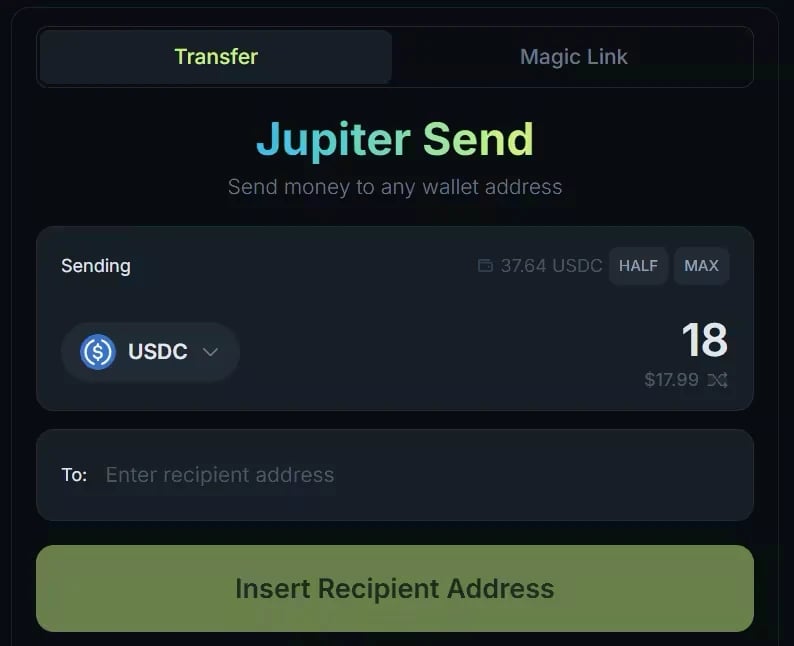
The Transfer tab of Jupiter Send on jup.ag. Balances date from when the screenshot was taken.
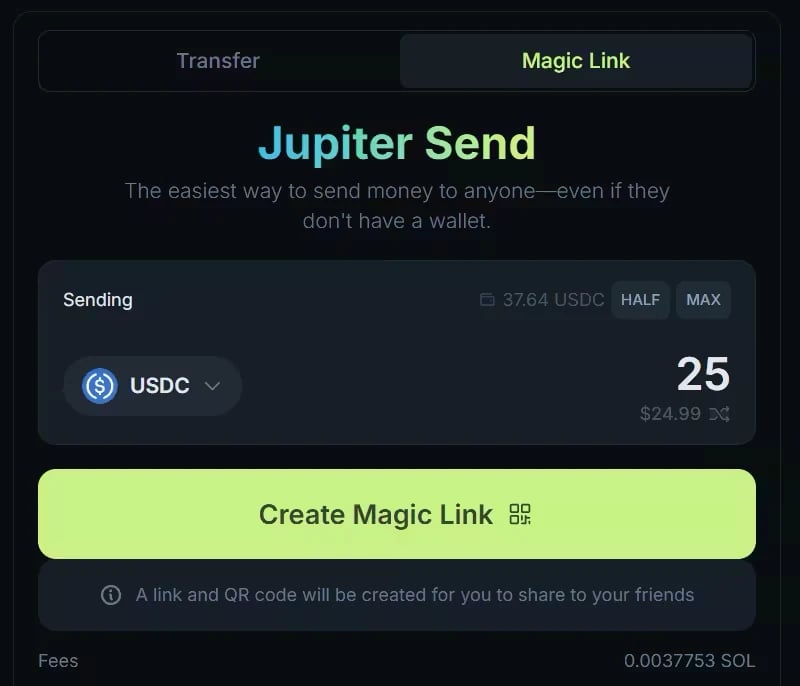
The Magic Link tab on jup.ag. The fee for creating a link is paid in SOL; the amount shown dates from the screenshot.
Fees and gasless transfers
Jupiter does not charge any protocol fee for Jupiter Send. The Fees row shows what you pay before you confirm: for a transfer, the Solana network fee plus any rent for the recipient’s token account; for a Magic Link, a fee paid in SOL when you create it. On jup.ag, a transfer can be gasless when your wallet does not have enough to pay its fee: the fee is then charged in the token you are sending, so the recipient receives slightly less than the amount you enter. This applies to transfers of verified tokens worth at least $1. It does not apply to Magic Links: creating one always needs SOL in your wallet, otherwise the button shows Insufficient Gas Fee. The Jupiter Mobile app has its own rules, see Gasless Send in Jupiter Mobile. Magic Links expire. If the tokens are not claimed within 7 days of creation, they return to the sender’s wallet automatically. You can also cancel a Magic Link at any time before it is claimed, which is especially useful if you shared it with the wrong person.Risks and limitations
Keep these risks and limitations in mind.- Jupiter Send works on the Solana blockchain only. Verify the address carefully before you send, and never send tokens from another blockchain straight to a Solana address.
- Magic Links have no password or recipient restriction: anyone who gets the link, the claim code or the QR code can claim the tokens. Treat a Magic Link like cash.
- To hold a token, a wallet needs a token account for it, which costs a small amount of SOL called rent (see Keeping your wallet clean with Reclaim). When a transfer has to create the recipient’s token account, you, the sender, pay that rent as part of the fee shown in the Fees row.
- On jup.ag, a Magic Link must be worth between $1 and $1,000. The values applied by the app prevail. Standard Solana transaction size limits also apply.
Hands on Jupiter Send
Jupiter Send is available at jup.ag/send and in the Jupiter Mobile app. The steps below are on jup.ag.Sending to a wallet address
1
Open Transfer
Open jup.ag/send and connect your wallet. Transfer is selected by default.
2
Choose the token and amount
Select the token and enter the amount, in tokens or in USD.
3
Enter the recipient
Paste the recipient’s Solana address.
4
Review and send
Check the Fees row, click Send, and approve the transaction in your wallet.
Sending via Magic Link
1
Open Magic Link
Open jup.ag/send, connect your wallet, and select Magic Link.
2
Choose the token and amount
Select the token and enter the amount, between $1 and $1,000.
3
Create the link
Check the fee, paid in SOL, then click Create Magic Link and approve the transaction in your wallet.
4
Share it
Share the link, the claim code or the QR code with the recipient. They can claim it any time within 7 days.
Managing active Magic Links
On jup.ag/send, with your wallet connected and the Magic Link tab selected, scroll below the send widget to see two tabs:- Active: links that have not been claimed yet. Cancel a link with its 🗑️ icon and approve the transaction to recover the tokens.
- Past: links that have been claimed, canceled or expired.
Go deeper
Jupiter Send overview
Transfers, the Receive tab, gasless transfers, fees, and limits.
Magic Links
Create, claim, cancel, and expiry of Magic Links.