

Published on YouTube in April 2026. If a screen in the video differs from the steps on this page, follow the page.
What is staking?
Staking is a cornerstone of the ecosystem. By delegating SOL to a validator, you help secure the network, and you are rewarded for committing your capital. Jupiter runs its own validator, and Jupiter Stake, at jup.ag/stake, lets you delegate to it. All staking actions are non-custodial and signed from your own wallet.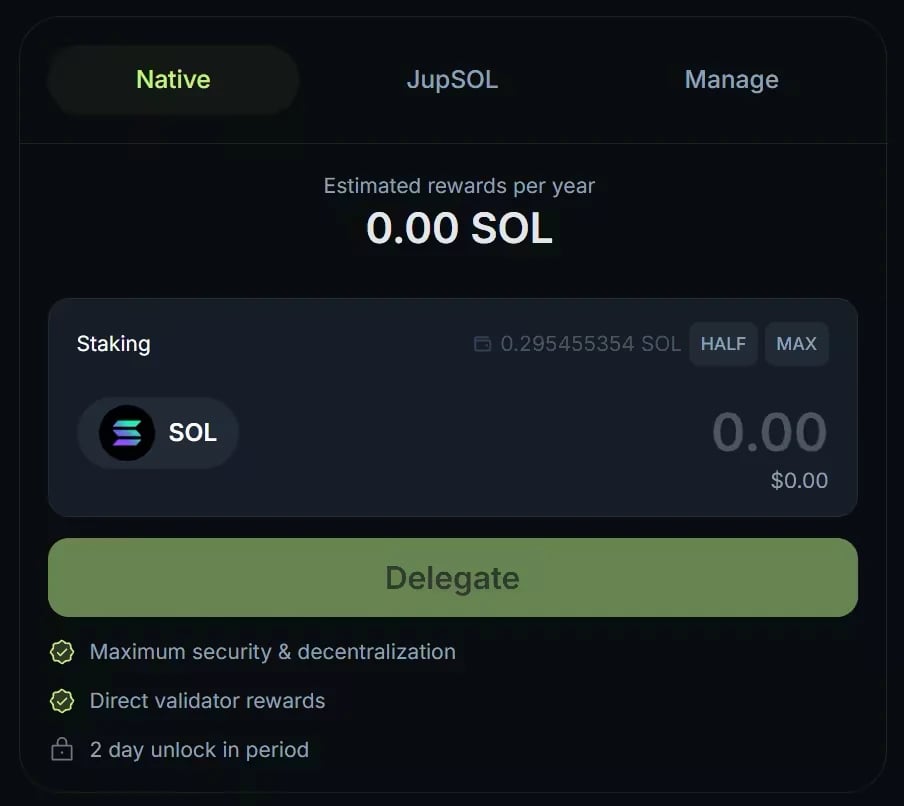
The Native tab of Jupiter Stake on jup.ag, from an earlier version of the interface: Manage is now a separate page.
Rewards and commission
Jupiter’s fee structure is simple:- Yield: variable, based on network conditions, validator performance and MEV activity. The Stake page shows an Estimated APY; it is not fixed and not guaranteed.
- Commission: 5% on inflation rewards, 0% on MEV rewards.
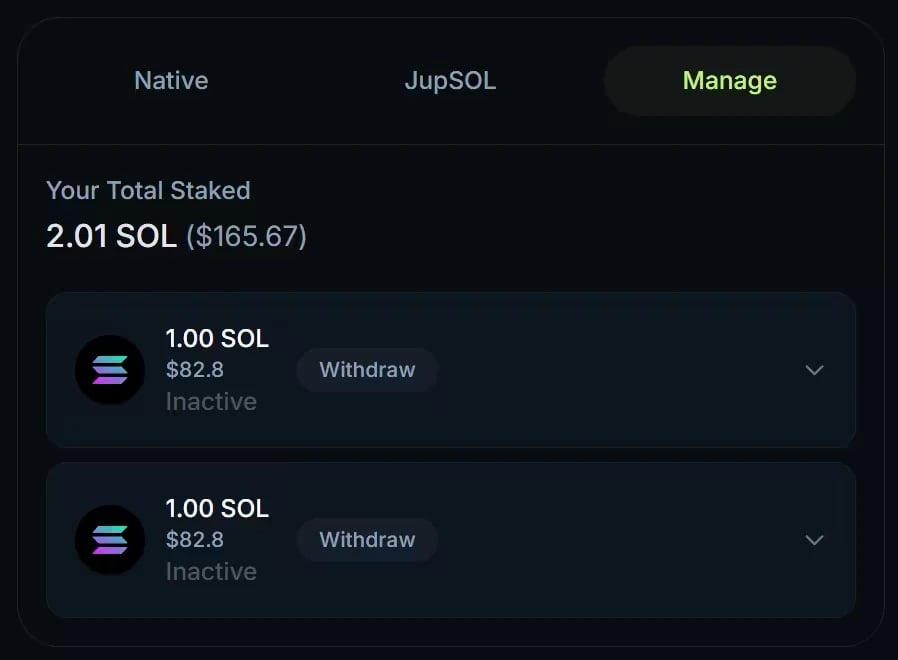
The former Manage tab of Jupiter Stake, from an earlier version of the interface. It is now a separate Manage page, where each stake account shows its validator and its own action buttons.
Key concepts for staking
- The cool-down period: staked SOL is not instantly liquid. Native staking follows Solana’s epochs. When you unstake, your stake deactivates at the end of the current epoch, so the wait depends on when you start, and it earns no rewards meanwhile. You then withdraw your SOL from the Manage page. On Solana, an epoch currently lasts about a day. Activation works the same way: a new stake starts earning at the start of the next epoch.
- The validator: a validator is a blockchain participant that keeps the network running by processing transactions and producing blocks. If a validator has downtime or performs poorly, its stakers’ rewards for that period can be lower, and this applies to the Jupiter validator too.
Let’s stake with Jupiter
1
Open Jupiter Stake
On a computer, go to jup.ag/stake and connect your wallet. In the Jupiter Mobile app, tap the globe icon at the top right to open the dApp browser, go to jup.ag/stake, and connect your Jupiter Mobile wallet.
2
Choose how to stake
The JupSOL tab opens by default: enter the amount and click Get JupSOL to stake liquid. To stake natively, open the Native tab, enter the amount of SOL (at least 1 SOL) and click Delegate.
3
Confirm and track
Approve the transaction in your wallet. A native stake starts earning at the next epoch, and the form shows how long until then. Manage, under the Stake form, opens the Manage page with your total staked, the status of each stake account and the rewards earned.

Staking 1 SOL on jup.ag from the dApp browser of an earlier version of the Jupiter Mobile app. The steps are the same in the current app.
Go deeper
Native staking
How to stake, rewards, unstaking, and managing your stake accounts.
JupSOL
How JupSOL accrues value, its fees, and the ways to exit.
Stake SOL FAQ
Minimums, activation, unstaking, and fees.