


Your unified dashboard
The goal of Portfolio is to take the guesswork out of decentralized finance. When you load a wallet, the dashboard groups your assets by platform, so you can see where your capital is allocated.- Broad coverage: Portfolio tracks positions across more than 190 Solana protocols, from Jupiter products such as Lend and Perps to third-party platforms, validators and liquidity pools.
- Claimable detection: when protocols hold something for you to claim, such as rewards accrued on liquidity positions or assets that have finished vesting, Portfolio adds them up in a Claimable total. Airdrops have their own tab.
- Net worth history: the Net worth chart shows how the portfolio’s value changed over 1 week, 1 month or 3 months. History is currently recorded for active JUP stakers only; other wallets show “No recorded history” instead of a chart. The Yield and Breakdown views next to it work for every wallet.
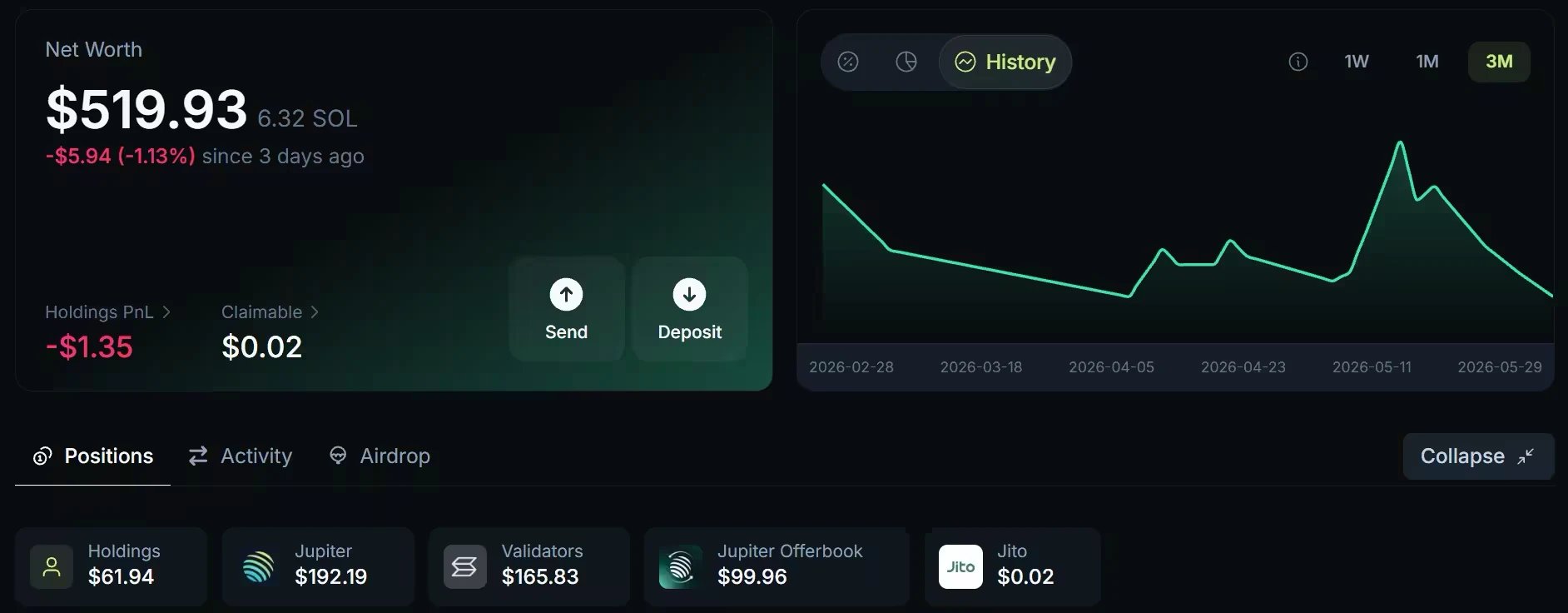
The Jupiter Portfolio dashboard, from an earlier version of the interface: it now has more tabs and chart views. Values date from when the screenshot was taken.
PnL and performance tracking
Good decisions need accurate data. Portfolio shows detailed profit and loss () figures so you can evaluate your strategies and track your progress.- Realized vs. unrealized: the Spot tab separates the profit or loss you have locked in by selling from the current result of the tokens you still hold.
- Token-level insights: on a desktop screen with your wallet connected, Trade on a token in your holdings opens a dialog with the token’s price chart, your buys and sells marked on it, your average entry price and your PnL on that token. The Spot tab lists your average entry and exit prices for every token you traded.
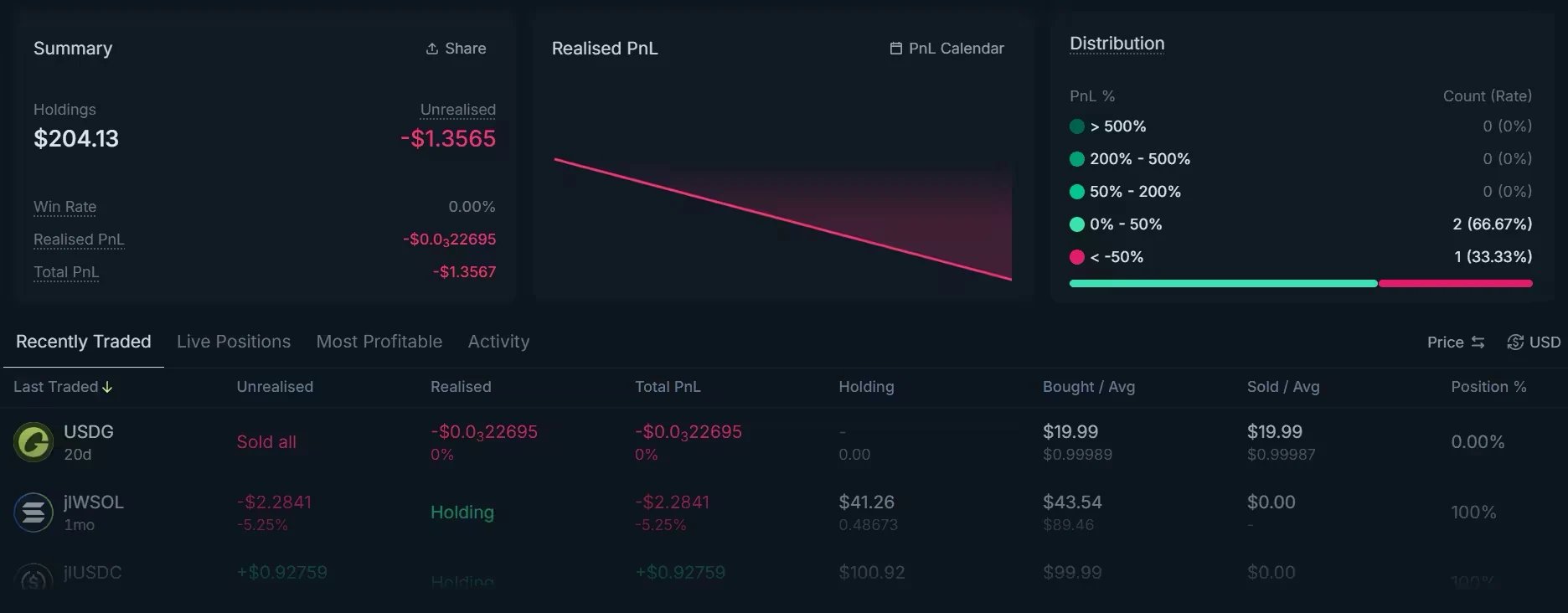
The Spot tab of Jupiter Portfolio, from an earlier version of the interface: its lists are now named Recent, Holdings, Profitable and Activity. Values date from when the screenshot was taken.
Privacy and security
Portfolio reads public onchain data and never takes custody of your funds.- Mostly read-only: Portfolio reads public data from the Solana blockchain to display balances and positions. You can look up any wallet without connecting one.
- You stay in control: your assets always remain in your wallet. The few actions Portfolio offers on Jupiter products, such as trading a token, closing a Perps position or reclaiming SOL, work only for your connected wallet, and your wallet asks you to approve each one.
- Multi-wallet support: view several wallets as a group of up to 15 addresses or
.snsdomains..solnames are not resolved at the moment.
Using Jupiter Portfolio
These steps are on jup.ag/portfolio. The Jupiter Mobile app has its own Portfolio tab, described in Jupiter Mobile Portfolio.1
Load a wallet
Connect your Solana wallet, or paste any address or
.sns domain in the search bar to open it watch-only. Portfolio then reads the blockchain to find your assets and positions; the Positions tab shows “Scanning N protocols” while it runs.2
Review your positions
The Positions tab lists your tokens under Holdings, then one section per platform: Jupiter, Validators, Kamino and so on, with stakes, Jupiter Lend positions, open orders and liquidity. The Spot tab holds your trading record, and the Activity tab your transaction history.
3
Look for missed rewards
Check the Claimable total in the Net worth card regularly. Click it to list each item; its Claim button opens the protocol’s own claim page, where you claim with your wallet. For airdrops, open the Airdrop tab: it checks your eligibility and sends you to the protocol’s claim page.
Go deeper
Portfolio overview
Which wallets you can view, how positions are found and priced, and what is not tracked.
Positions and Net Worth
The Net worth card, claimable rewards, positions by platform, and the actions on each row.
Spot PnL
Realized and unrealized PnL, top trades, and the PnL Calendar.