


Jupiter does not issue, back or guarantee any tokenized stock. Each issuer sets its own backing, redemption terms, trading hours and eligibility rules, and some tokens are not available in every jurisdiction. See Tokenized stocks.
Explore the Stocks screener
Stocks, in Jupiter’s left navigation, opens the Stocks screener at jup.ag/spot/stocks, where you can track the tokenized stocks market. The chevron on the Stocks tab switches between two views:- Stocks (listed prices): one row per company, with the listed share’s price, 24h change, the company’s market cap and the number of shares traded. Click a row to open the stock’s page.
- Tokenized stocks (on-chain prices): one row per token. Its Tokenized Stocks title is a dropdown with one screener per issuer, xStocks included.
- price on Solana and its change
- Its onchain market cap and fully diluted valuation
- Trading volume
- Number of holders
- Available onchain liquidity, which matters when you trade outside US market hours. Tokens whose liquidity market makers provide on request show RFQ instead of an amount.
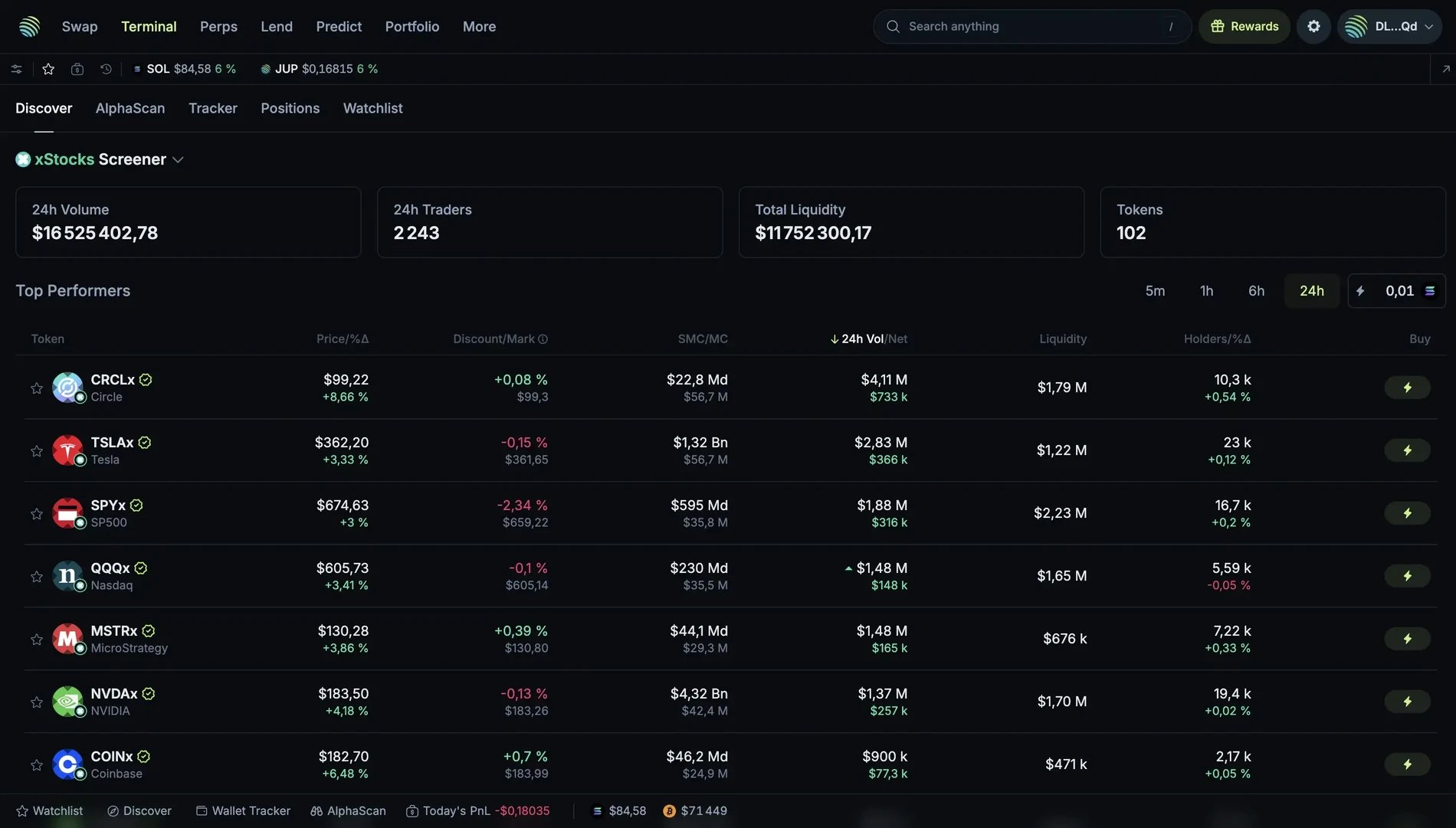
The xStocks screener in an earlier version of jup.ag. It is now the xStocks entry of the Tokenized Stocks dropdown in the Stocks screener, and the discount to the listed share is on each token's page. Values date from when the screenshot was taken.
Buy your first tokenized stock
Once you have picked a stock, buy it from its stock page on jup.ag.1
Open the stock page
Connect your Solana wallet to jup.ag, then click the company in the Stocks screener, or go to
jup.ag/stocks/<ticker>, for example jup.ag/stocks/tsla.2
Pick the issuer
In the swap card, the Buy side is set to this stock and defaults to the issuer with the most liquidity, for example TSLAx by xStocks on the Tesla page. Click it to open the issuer picker, which lists each issuer with its token’s liquidity and price, and choose one.
3
Choose what you pay with
On the Sell side, pick what you from: SOL, USDC or another token you hold. Ondo tokens trade against USDC only.
4
Review and confirm
Check the quote, especially for tokens marked RFQ outside US market hours, when quotes can be less favorable. Confirm the swap and approve it in your wallet: the token arrives directly in your wallet.
- Limit order: set the price at which you want to buy, and Jupiter executes your order automatically when the condition is met.
- DCA order: invest the same amount at regular intervals. For example, to buy $50 of TSLAx every week, set up a DCA order and Jupiter executes each purchase for you, building a position over time through dollar-cost averaging. Each purchase must be worth at least $10. The Jupiter Mobile app calls these orders Recurring.
Go deeper
Stock page
Underlying price and stats, the issuers table and the swap card.
Stocks screener
Listed and tokenized views, issuer screeners and RFQ liquidity.
DCA orders
How DCA orders split a purchase over time, with fees and limits.